
How to Plan a Group Trip Step by Step (2026 Guide)
From zero to a full itinerary in 10 minutes. No spreadsheets required.
Planning a group trip should be exciting. Instead, it usually goes something like this: someone creates a Google Doc, drops 30 links in it, the group chat explodes with opinions, nobody agrees on anything, and two weeks later you still do not have a plan.
We have been there. Multiple times. It is the reason we built SwipeSights. But before we talk about tools, let us talk about the process. Because whether you use our app or not, the steps below will help you plan a group trip that does not end in passive-aggressive silences.
This guide covers everything from picking a destination to walking your optimized route on day one. No fluff. Just the actual steps, in order, with the real problems you will face at each stage and how to solve them.
Based on trips planned on SwipeSights, the average group has 4.2 members and visits 12 attractions across their trip. That is a lot of opinions to coordinate. Here is how to do it without the chaos.
Why Most Group Trips Fall Apart
It is almost never about the destination. It is about the decision-making process. Here is what typically goes wrong:
- One person does all the work. They research, they plan, they organize. Everyone else just shows up. The planner burns out and quietly resents the group.
- Nobody makes decisions. The group chat fills up with "I am easy, whatever you guys want." Then that same person vetoes every suggestion.
- The loudest voice wins. Whoever cares the most ends up picking everything, and the quieter people just go along with it, silently disappointed.
- The plan does not survive reality. You show up and realize half the places are on opposite sides of the city, two of them are closed on Monday, and you have no idea where to eat lunch.
The fix is not more planning. It is a better process. One where everyone gets equal input, nobody has to do all the research, and the logistics sort themselves out automatically.
The best group trip plan is not the one with the most research behind it. It is the one everyone actually agrees on.
Step 1: Pick a Destination and Dates
This is the one decision you need to make as a group before anything else. Everything after this can be automated. But the destination and dates need human consensus.
Keep it simple. Throw out two or three options in your group chat and pick the one most people are excited about. Do not overthink it. Any city with enough attractions to fill your trip days will work.
Once you have a city and dates, one person creates the trip. On SwipeSights, this takes about 30 seconds. Pick your destination, set your start and end dates, and you are done.
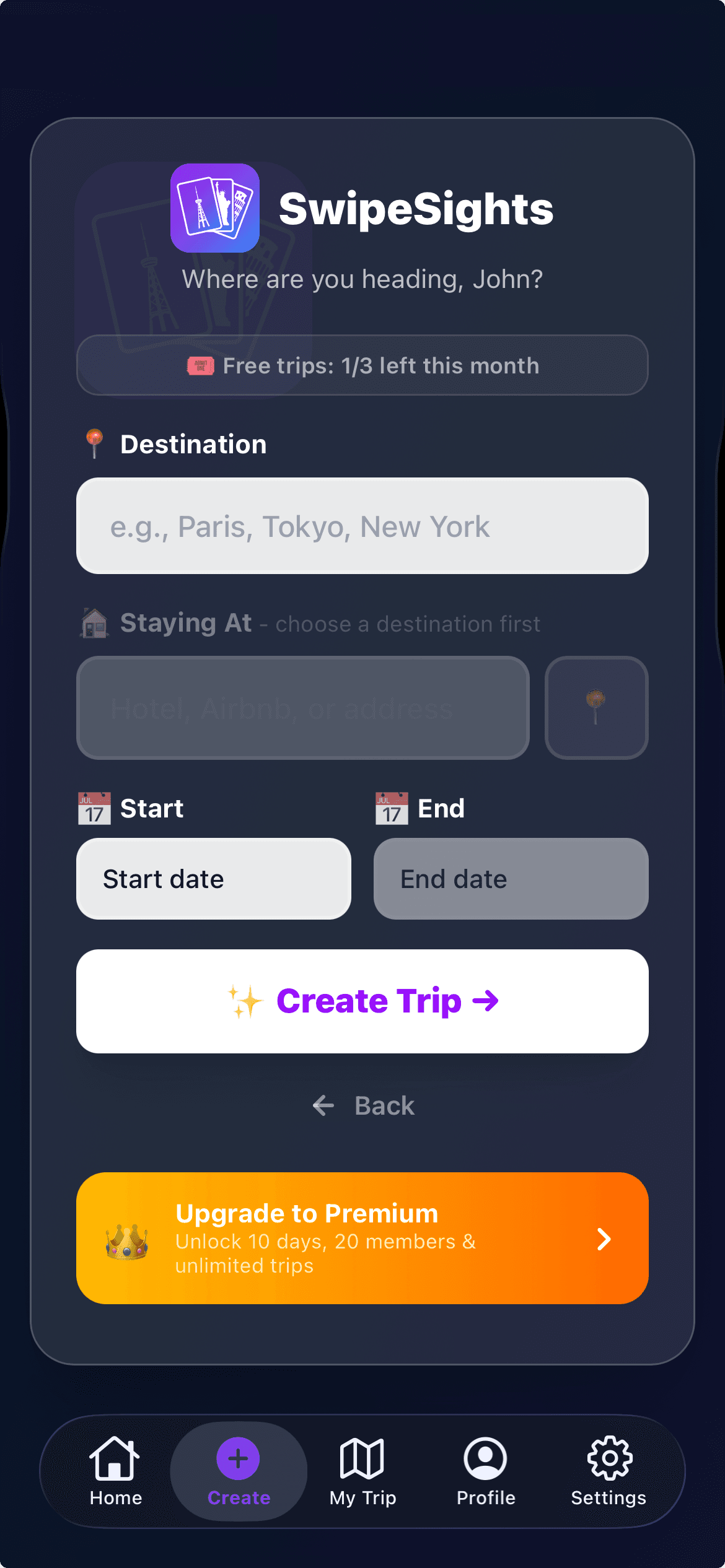
Creating a trip takes 30 seconds. Pick a city, set dates, done.
A few tips for this stage:
- For a first group trip together, start with 2-3 days. Longer trips amplify any planning problems.
- Walkable cities work best. Less time on transit means more time at attractions.
- Check if anyone has visa restrictions before committing to a destination.
- Do not wait for the "perfect" dates. You will never find a window that works for everyone. Pick the one that works for most people and lock it in.
Step 2: Get Everyone on Board
This is where traditional planning falls apart. Someone creates a shared doc or spreadsheet and asks everyone to add ideas. The problem? Adding ideas is work. Most people will not do it. You end up with one person's research and everyone else's silence.
The fix is making participation effortless. Instead of asking people to research attractions and add them to a list, you give them a ready-made set of options and ask them to react. That is a much lower bar. Reacting to something takes 5 seconds. Researching and adding something takes 15 minutes.
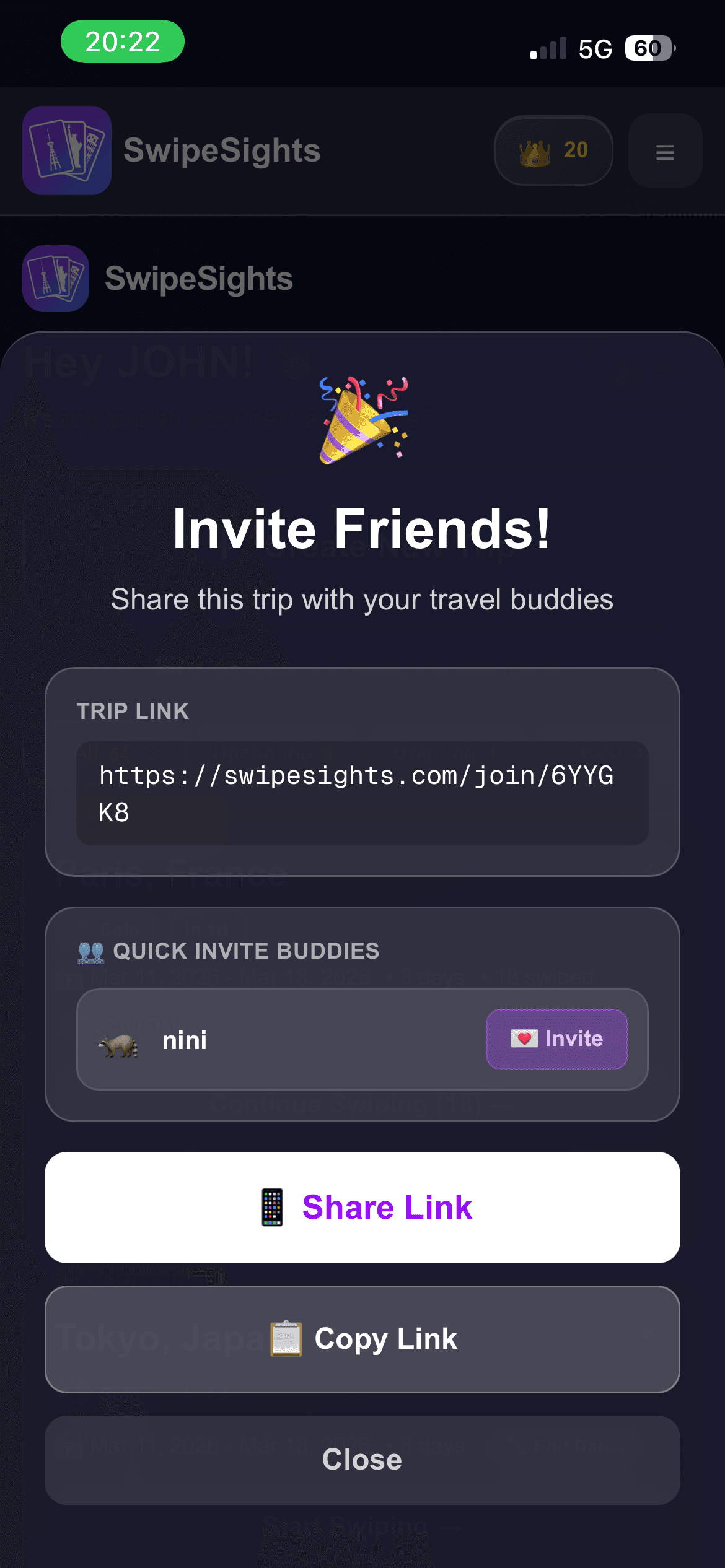
Share the invite link. Everyone joins in seconds.
On SwipeSights, you share an invite link. That is it. No downloads, no account creation for your friends. They tap the link, join the trip, and they are ready to vote. The friction is basically zero, which means people actually participate instead of saying "I will look at it later" and never looking at it.
Step 3: Let Everyone Vote on Attractions
This is the core of the process and the part that makes everything else work. Instead of debating in a group chat, each person votes on attractions independently. Nobody sees what anyone else picked. No groupthink. No pressure to agree.
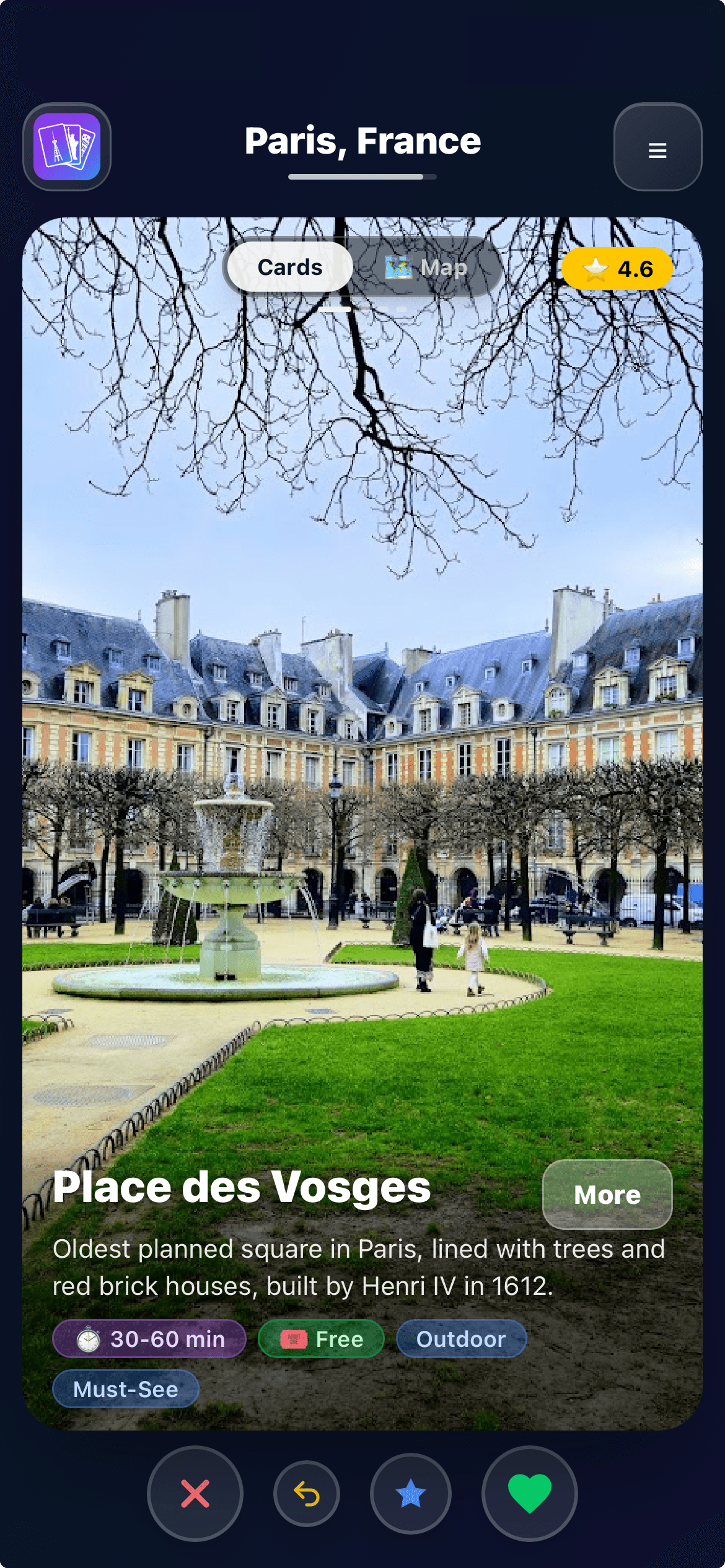
Swipe through real attractions with photos and ratings.
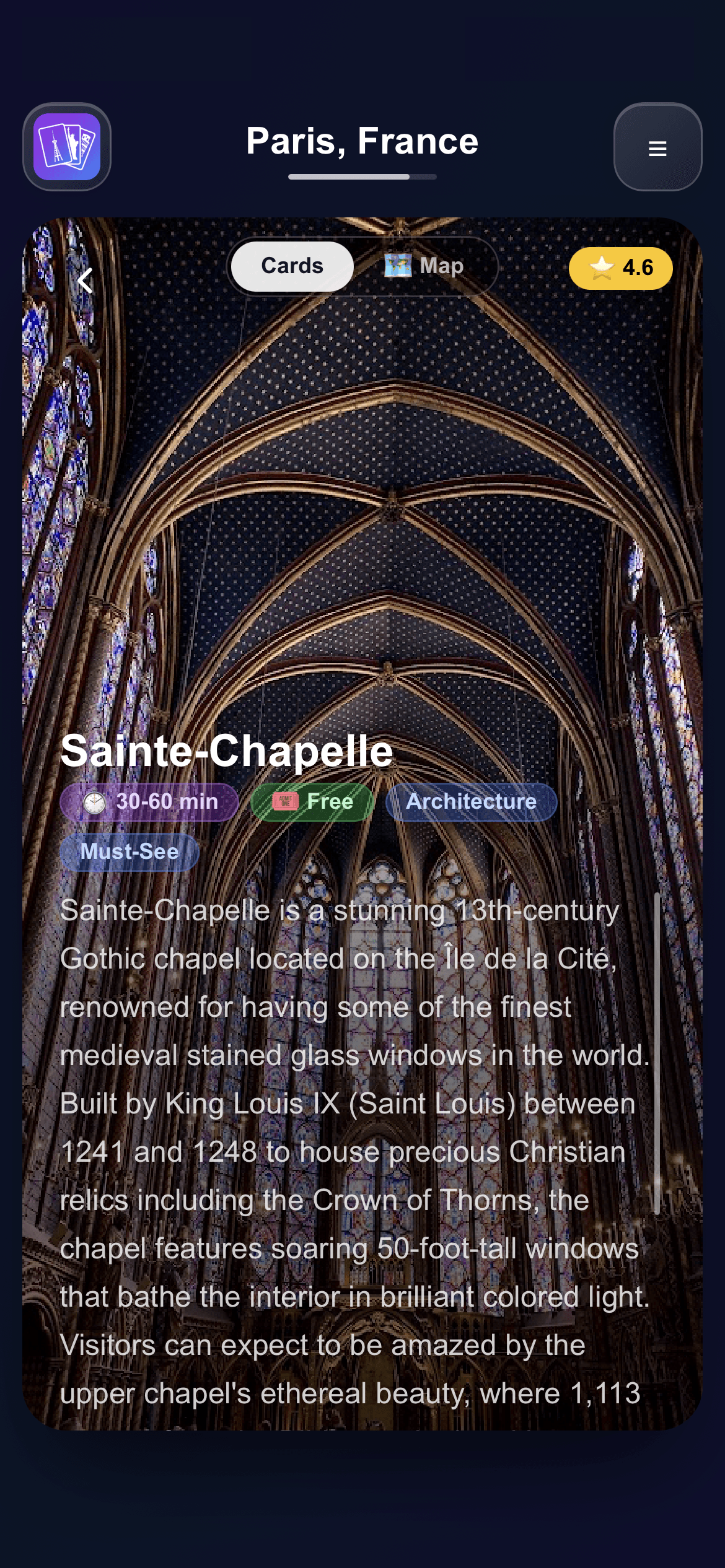
Flip any card to read a detailed description before voting.
Each person sees 60 to 100 real attractions for your destination. Not some random listicle. Real places with real photos, real Google ratings, and real descriptions. You can flip any card to read about the place before you vote, which is huge when you are visiting a city for the first time and half the attractions are names you have never heard of.
The voting is simple:
- Swipe right if you want to visit.
- Swipe left if you want to skip.
- Swipe up if it is an absolute must-see. Super-likes carry double the vote weight and the algorithm allocates extra time at those places.
The whole thing takes 5 to 8 minutes per person. That is it. In the time it takes to scroll through Instagram, you have given your group meaningful input on 60+ attractions. Compare that to the hours you would spend researching and debating in a group chat.
The best decisions happen when everyone votes honestly, without knowing what anyone else picked. That is the entire principle behind how SwipeSights works.
Step 4: Generate Your Optimized Itinerary
Once everyone has voted, the algorithm takes over. This is the part that would normally take hours of manual work: figuring out which attractions go on which day, what order to visit them in, how to avoid backtracking, and how to respect opening hours.
The engine handles all of it. It clusters nearby attractions on the same day so you are not zigzagging across the city. It checks opening hours and warns you about conflicts. It plans meal breaks at restaurants near your midday stops. It front-loads busier days when your energy is highest and eases off toward the end.
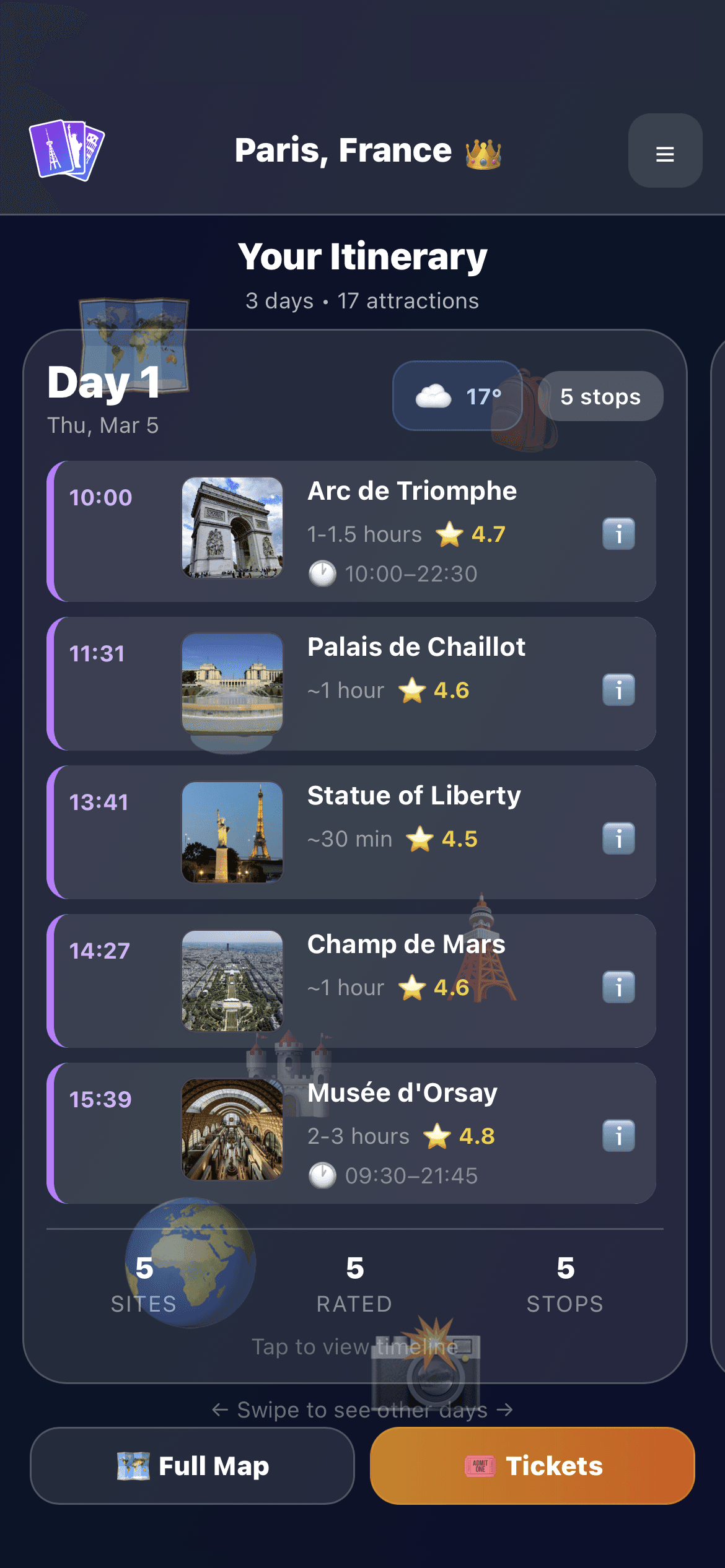
A full day-by-day itinerary with timed stops and walking distances.
Here is what happens under the hood in about 3 seconds:
Spatial Clustering
Nearby attractions get grouped onto the same day. Multiple clustering strategies compete and the best one wins.
Route Optimization
For each day, the engine finds the most efficient walking route. No backtracking, no unnecessary detours.
Schedule Simulation
Opening hours, visit durations, and daily time budgets are simulated minute by minute. Meal breaks land at natural times.
Overflow Recovery
If you voted for more places than fit, the engine decides what to cut based on group preference. Super-liked places are protected.
The result is a realistic day-by-day plan that actually works when you are on the ground. Not a wishlist of 20 things crammed into two days. A real schedule with real walking times, real opening hours, and real meal breaks.
Step 5: Review, Tweak, and Export
Your itinerary is generated but it is not locked in stone. You can review it as a group and make adjustments. Want to swap two attractions between days? Done. Want to remove something and add a nearby suggestion instead? The app handles that too.
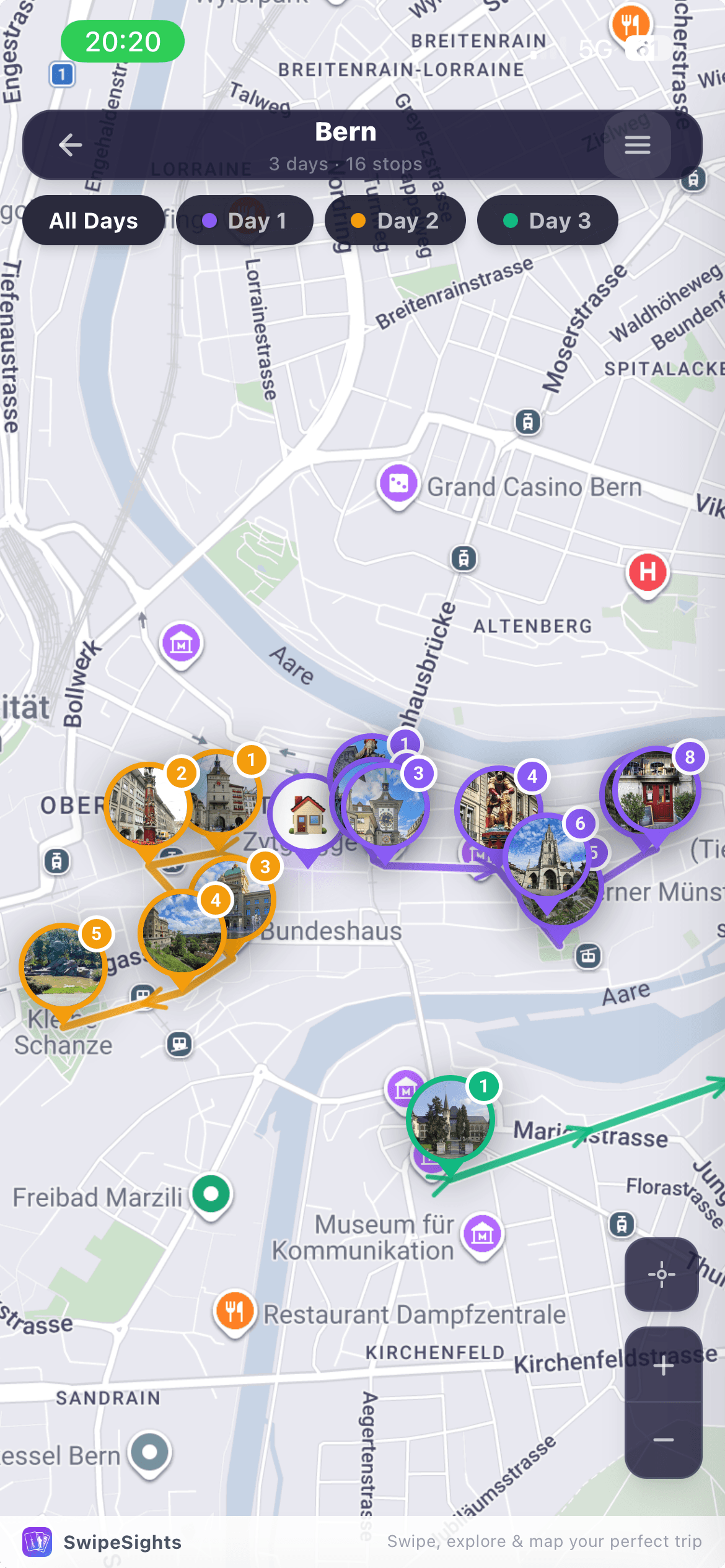
Interactive route map with color-coded days and walking paths.
Once you are happy with the plan, you have several export options:
- Calendar export. Add every stop directly to Google Calendar or Apple Calendar with times and locations. Free for everyone.
- Share as image. Generate a shareable trip card for your group chat or social media.
- PDF export. A beautifully formatted PDF with photos, maps, and day-by-day timelines. Perfect for printing or offline access. Premium feature.
Step 6: Show Up and Actually Enjoy It
This is the whole point. When you have a plan that everyone contributed to, nobody feels steamrolled. When the route is optimized, nobody is exhausted from walking in circles. When the schedule is realistic, nobody is rushing through places or standing in front of locked gates.
You wake up, check your itinerary, and know exactly where to go first. Walk to your first stop. Enjoy it. Walk a planned route to the next one. Break for lunch at a suggested restaurant that is already on your way. Continue your afternoon stops. Wrap up for dinner.
No "where should we go next?" debates. No pulling up Google Maps and comparing distances. No one person frantically trying to coordinate while everyone else stands around. Just follow the plan and be present with your friends. That is what traveling together is supposed to feel like.
The Quick Recap
Pick a city and dates.
One person creates the trip in 30 seconds.
Share the invite link.
Everyone joins via the link. No downloads needed.
Everyone swipes independently.
5-8 minutes per person. No groupthink.
The algorithm builds your itinerary.
Optimized routes, opening hours, meal breaks. 3 seconds.
Review and export.
Tweak if needed. Export to calendar or PDF.
Travel.
Follow the plan. Be present. Enjoy the trip.
Frequently Asked Questions
How far in advance should I start planning a group trip?
Book flights and accommodation as early as you can for better prices. But the actual itinerary planning only takes about 10 minutes with the right tools. You can do that the week before you leave. The key is having your route and schedule ready before you arrive so you do not waste time deciding on the ground.
What if some people in my group do not want to plan at all?
That is actually the ideal scenario for SwipeSights. Swiping through attraction cards takes 5-8 minutes and feels more like scrolling through an app than doing homework. People who would never open a Google Doc will happily swipe through 60 photos of cool places to visit.
How do you handle it when people have very different interests?
That is exactly what the voting solves. Everyone votes independently, so the itinerary reflects the group's collective preferences, not just one person's taste. If three people love art museums and two people love street food markets, the itinerary will have both. The algorithm balances it based on actual votes.
Can I plan a group trip for free?
Yes. SwipeSights gives you unlimited free trips and no credit card is needed. The itinerary opens 3 days for groups of 3. Premium opens every remaining day however long the trip is, groups up to 20, multi-city routes, itinerary editing, restaurant picks and a printable PDF. One person upgrades and the whole group benefits.
What if the itinerary does not look right?
You can rearrange attractions between days, remove stops, and add nearby suggestions the algorithm finds for you. The itinerary is a starting point built from your group's votes, not a locked-in contract. Premium users can also drag and drop to reorder within a day.
Does it work for any city?
Any city worldwide. SwipeSights uses Google Places data, so if Google has data for a city, you can plan a trip there. From Paris to Phnom Penh.
Related reading
The story of the Barcelona trip that started it all.
Specific tips for squeezing real value out of short trips.
How SwipeSights compares to Wanderlog, TripIt, Lambus, and more.
What these steps produce, applied to three days in Rome.
Ready to Plan Your Trip?
Unlimited free trips. The itinerary opens 3 days, for groups of 3.
No credit card. No app download. Just pick a city and start swiping.
Start Planning for FreeSwipeSights is a group trip planner that turns 10 minutes of swiping into a fully optimized itinerary. Built by travelers who got tired of spreadsheets and group chat chaos.