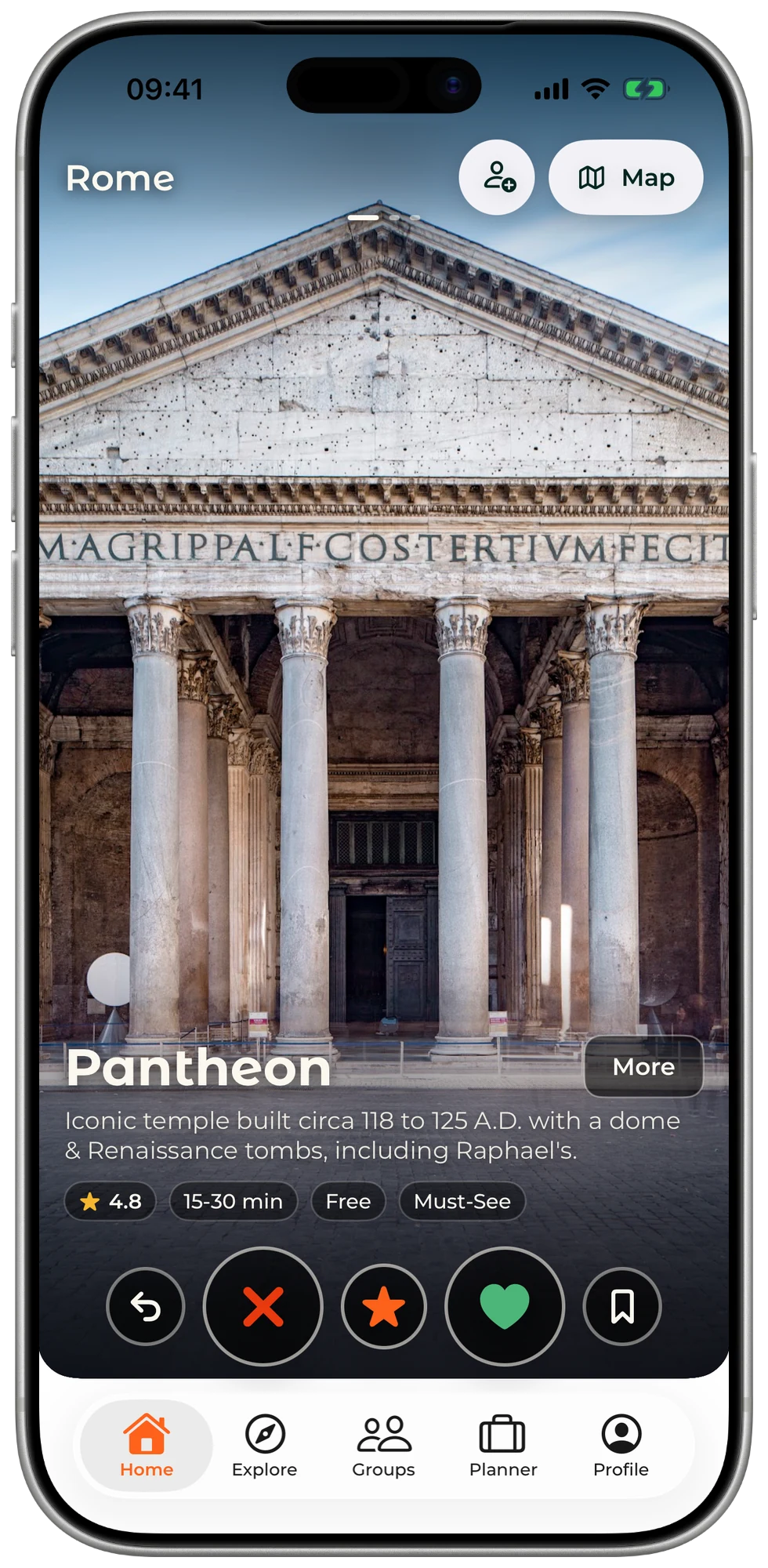
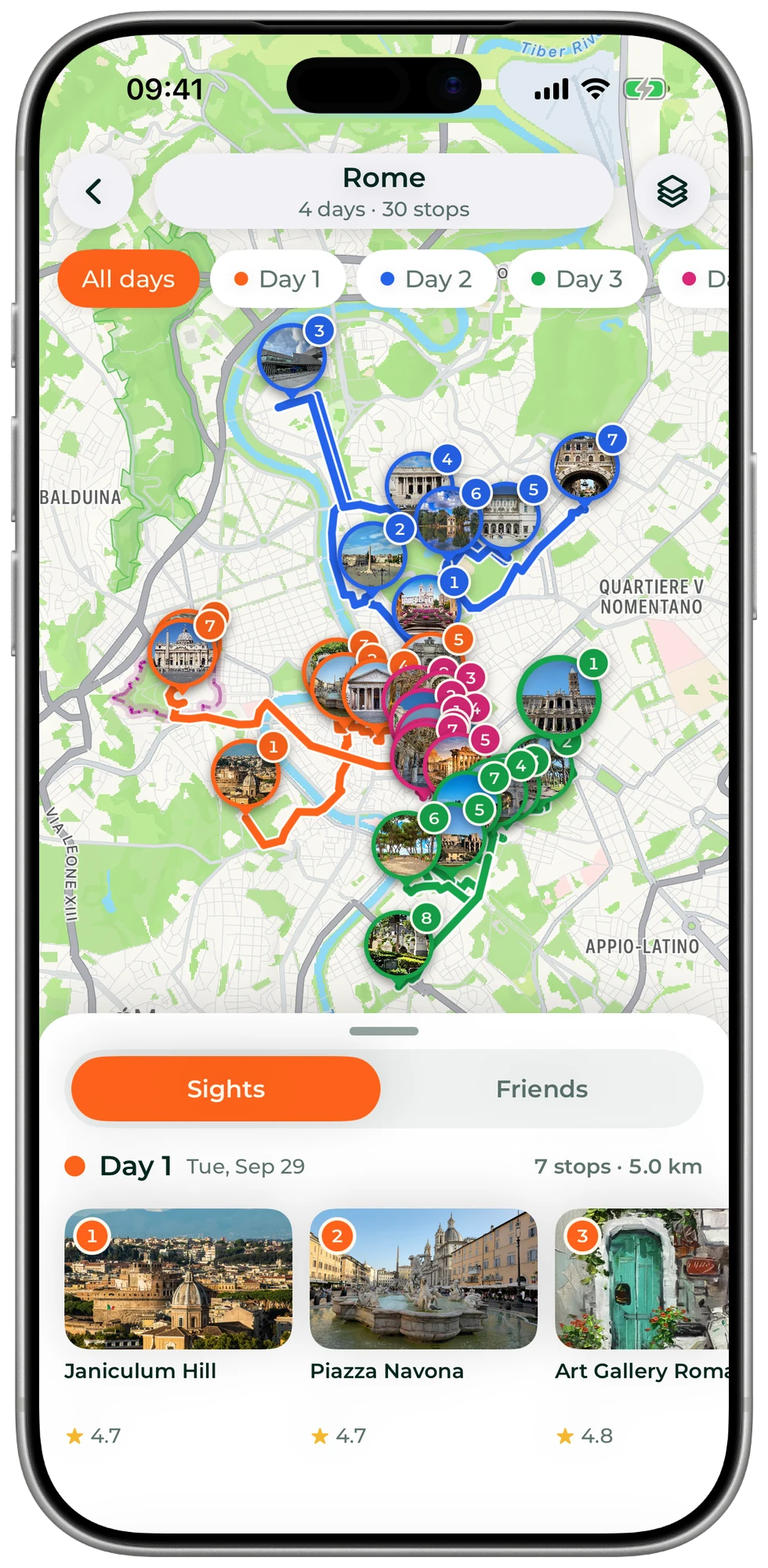
Most trip planners hand you an empty itinerary to fill in. SwipeSights starts with what you want to see: you pick places by swiping, and it turns them into days you can walk.
How does the trip planner work?
- Name a city. Add your dates and, if you know it, where you are staying.
- Everyone swipes. Every card is a real place, with photos, its rating and its opening hours. Like it, skip it or mark it a must-see, each person on their own phone.
- The plan is made. The places you liked become days, each one in a single part of the city, in walking order.
In a hurry? Choose Describe it on a new trip and type one sentence about the trip, and SwipeSights sets it up.
What is in a finished plan?
Days in walking order
Nearby places share a day, and each day runs in the order that keeps the walk short.
Inside opening hours
Each stop has its time and how long to stay, and it is planned for when the place is open.
Meals
Lunch and dinner land near the stops, in the gaps of the day.
Tickets
Tickets and tours for the stops that sell them, each with the day and time of your visit.
Getting around
The walk to the next stop, and the bus, tram or train where walking is too far.
One map
The whole trip on one map, each day in its own color.
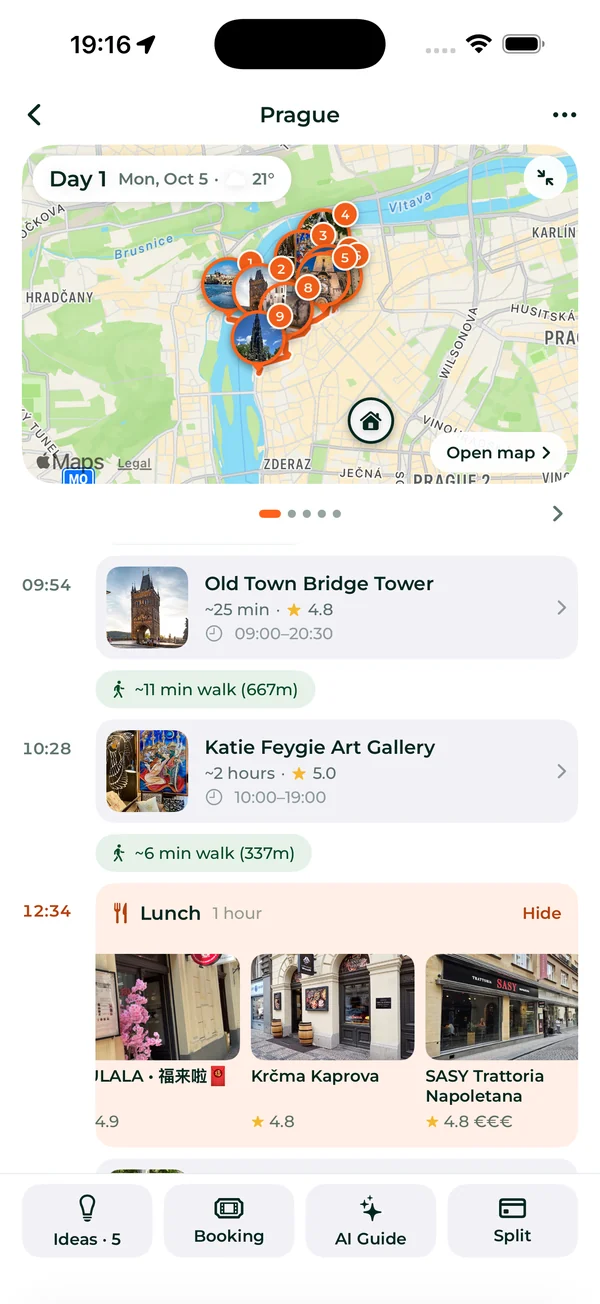
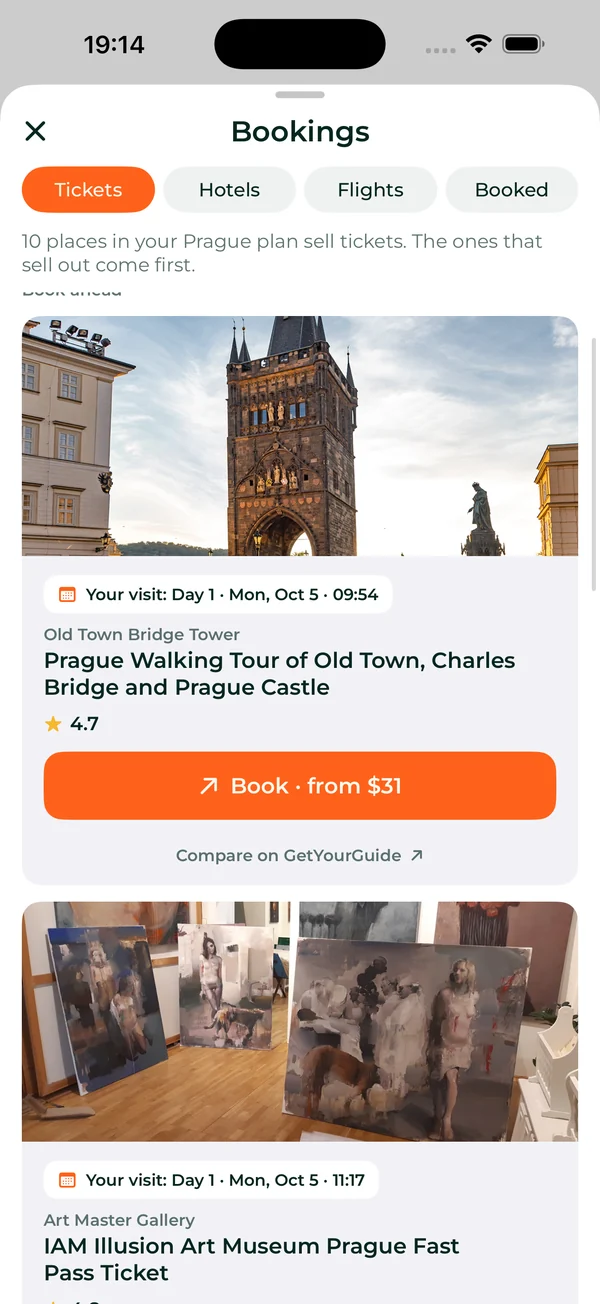
The plan is yours to change. Move a stop to another day, take one out, or ask the trip guide to change it for you.
Who is the trip planner for?
Anyone planning a city trip, from one person to a group of 20. Each kind of trip has its own page, with how SwipeSights plans it:
- Weekends: your weekend, planned with friends.
- Families: a family trip everyone wants to go on.
- Friends' trips: the trip the whole group agrees on.
- Bachelorette: the last trip before the big day, without the drama.
- Guys' trips: what happens in Vegas, planned by everyone.
- Students: spring break, planned before the group chat gives up.
- Work trips: work trips your colleagues actually enjoy.
Planning with a group? See how everyone votes and how the votes become the plan, or see every kind of trip.
What is free, and what does a Trip Pass add?
- Free: Unlimited free trips. The itinerary opens 3 days, for groups of up to 5. The plan of a bachelorette or a bachelor party opens the first day.
- With a pass: Trip Pass from $12.99 for one trip, or a Year Pass from $29.99 covering every trip you create for 12 months. A pass opens every remaining day, groups up to 20, multi-city routes, restaurant picks, audio guides, an itinerary that works offline, and a printable PDF.
One person upgrades and the whole group gets it. There are no per-person fees. See what a Trip Pass and a Year Pass add.
Frequently asked questions
Is there a free trip planner?
Yes. SwipeSights is free to start: trips are unlimited, and a free trip opens the first 3 days of its plan for groups of up to 5 (the first day for a bachelorette or a bachelor party). A Trip Pass from $12.99 opens every day of one trip, and a Year Pass from $29.99 covers every trip you create for 12 months.
Does everyone need the app?
No. Friends open the trip's link and swipe in their phone's browser, without the app or an account. The app is on iPhone and Android for anyone who wants it.
How many people can plan together?
Up to 5 on a free trip, and up to 20 with a Trip Pass or a Year Pass. One person upgrades and the whole group gets it. There are no per-person fees.
Does it work for one person?
Yes. Swipe on the places you want to see, and the plan is built from your picks alone. Nothing about it needs a group.
Does it plan the route?
Yes. The places are grouped into days by area, and each day is put in walking order, with the walk to the next stop and the bus, tram or train where walking is too far. Each stop is timed inside its opening hours.
Can I use it on my phone and my laptop?
Yes. SwipeSights is an app for iPhone and Android and a website, swipesights.com, and a trip is the same on all three: start it on a laptop, swipe on your phone, and open the plan on either.
Which cities can I plan?
Any city in the world, for 1 to 10 days. With a Trip Pass, 2 to 5 cities in one trip, up to 21 days.
Plan your next trip
Name the city, swipe, and the plan is made.