
SwipeSights is a group trip planner built on one idea: everyone swipes on real places, and the votes become the plan.
Around that idea sits a whole app, from the first idea to the memories afterward. Here is all of it, screen by screen, so you can see exactly what it does before you start.
Home: your next trip
Home counts down to your next trip, with its plan and its invite one tap away, and gives you ideas for the one after.
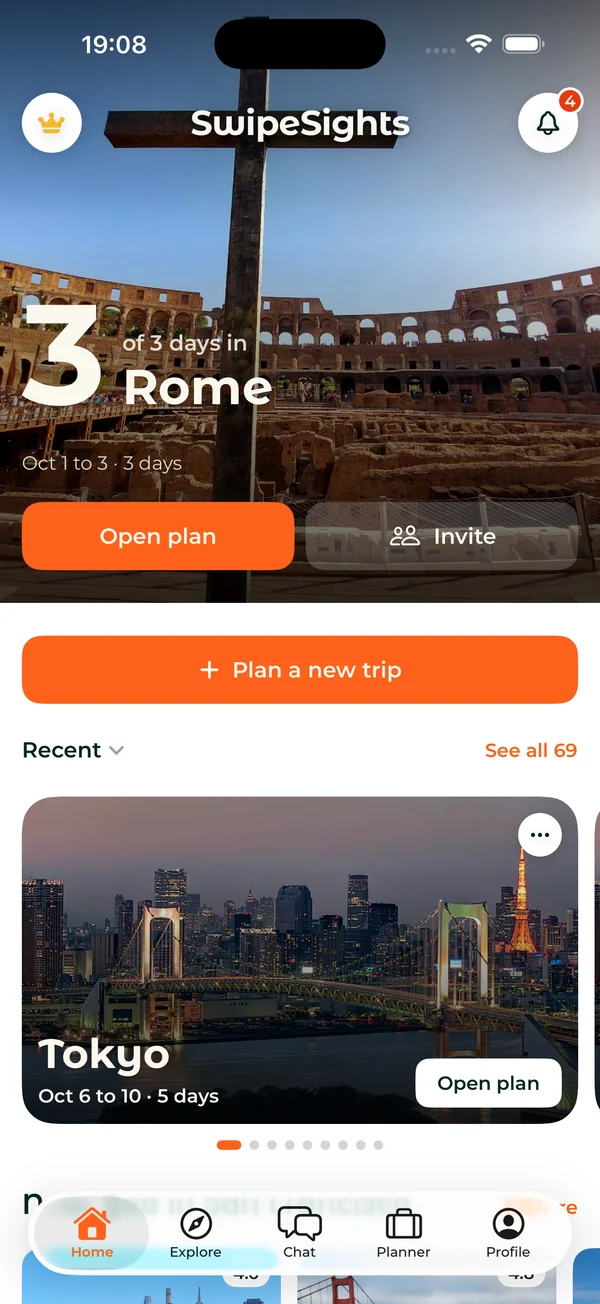
- The countdown to your trip, with the plan and the invite on the same card.
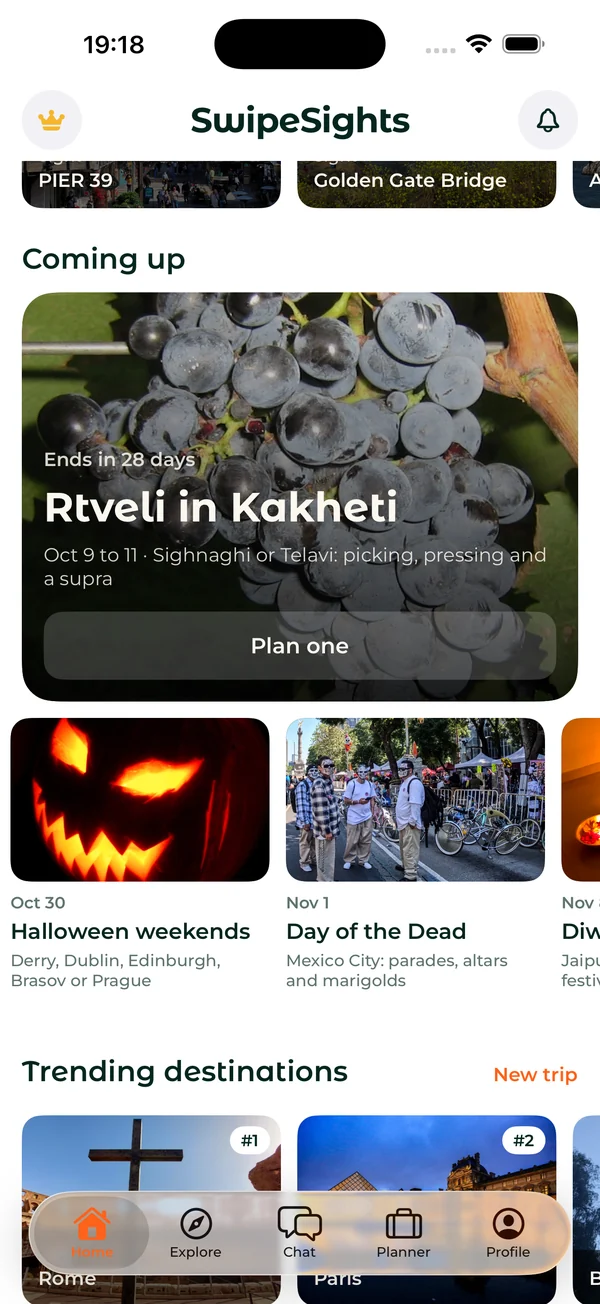
- Coming up: festivals and seasons worth a trip, like the grape harvest in Kakheti or Halloween weekends, with a plan one tap away.
- Trending destinations to start from.
Start a trip
Start with one city, a few cities, or a single sentence. Pick where and when, choose how much the group wants to swipe, and share one link.
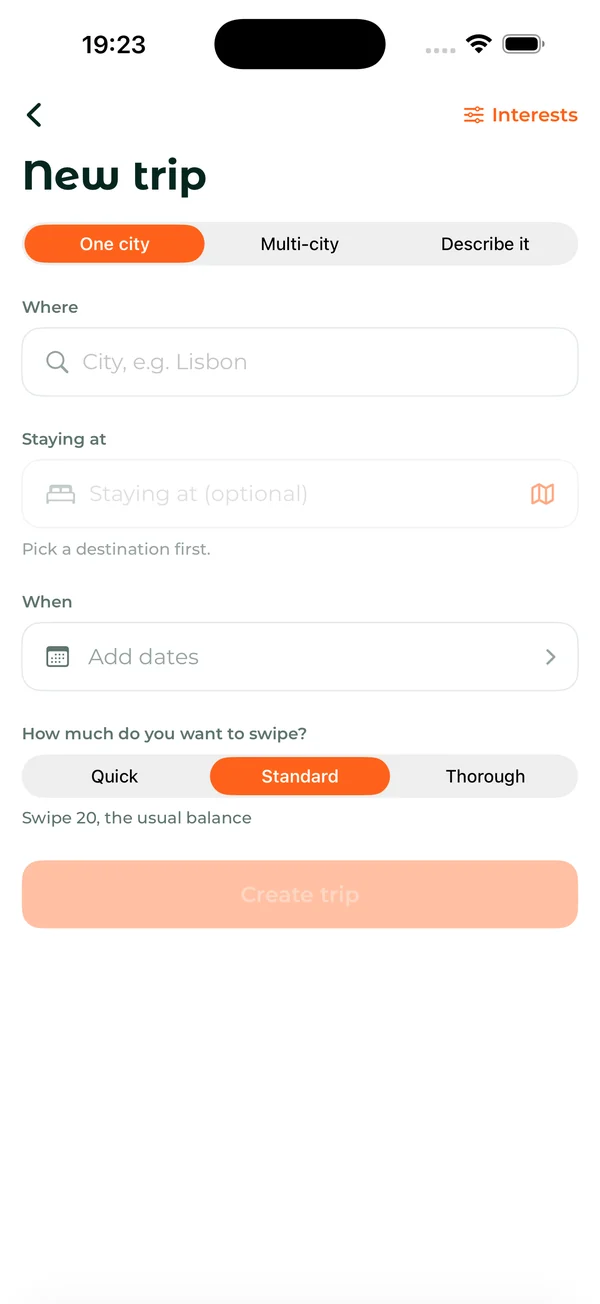
- One city or several. A weekend in Lisbon, or a week from the Isle of Skye to Stirling.
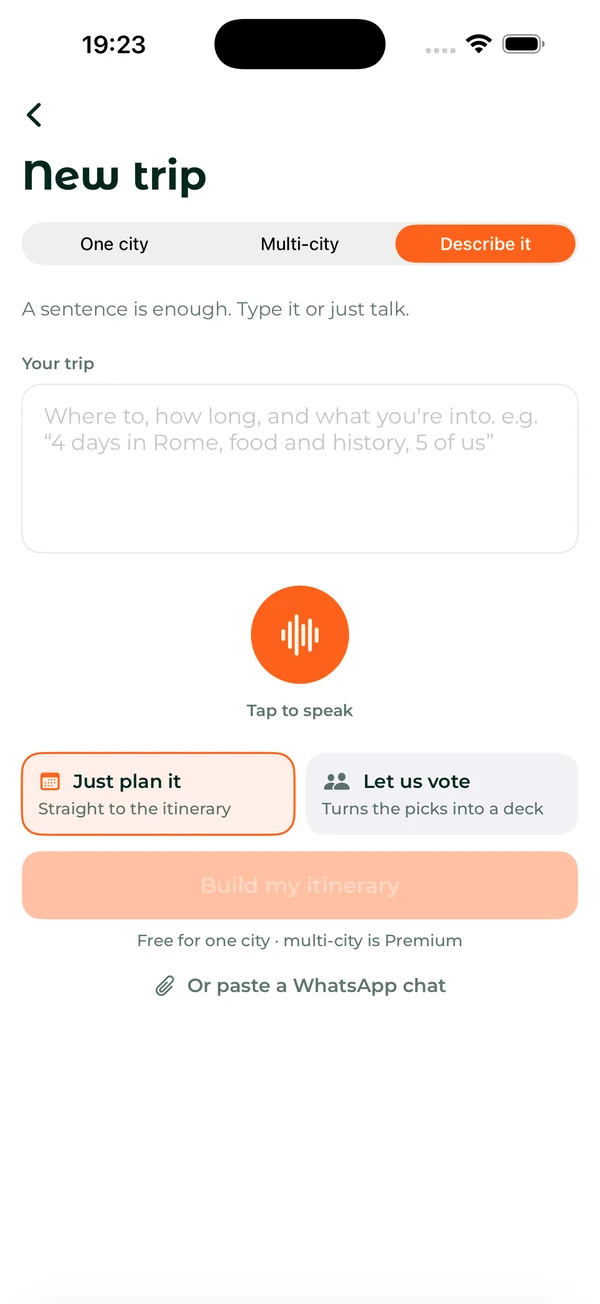
- Describe it. Type or say one sentence, or paste your group's WhatsApp chat about the trip, and SwipeSights sets it up.
- Quick, Standard or Thorough. Decks of 10, 20 or 40 places, so the group decides how much to swipe.
- Just plan it, or let the group vote. Go straight to a plan, or turn the picks into a deck for everyone.
Decide together
Everyone swipes on real places, each on their own phone. Right to like, up for a must-see, left to skip, and nobody has to be the organizer.
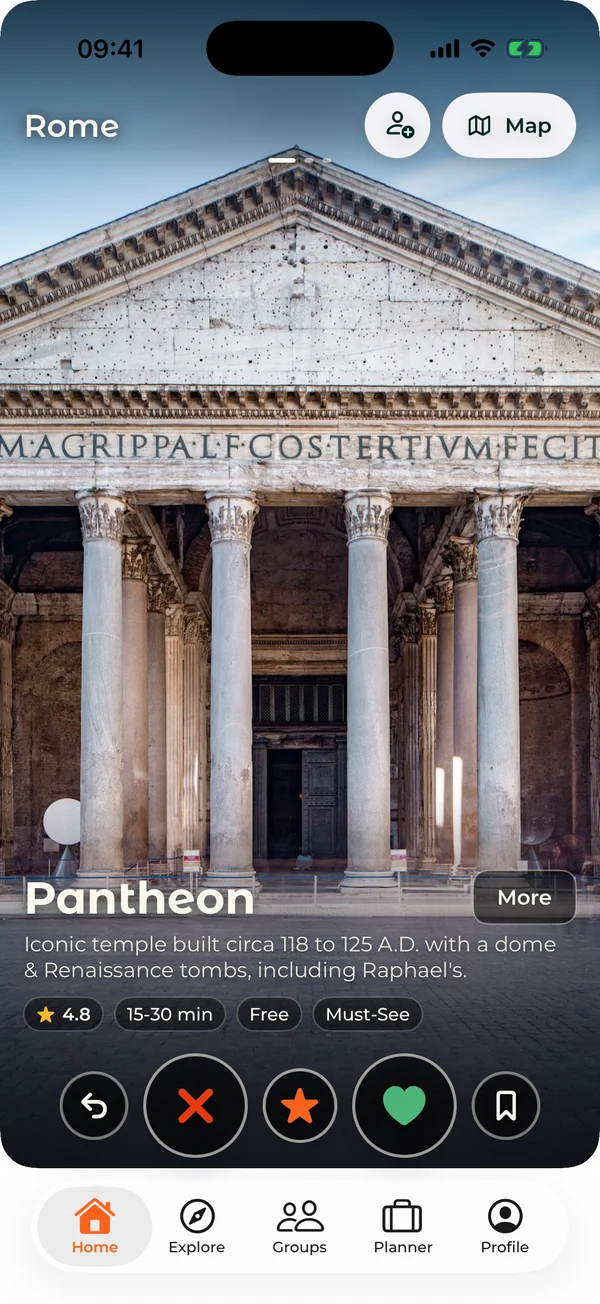
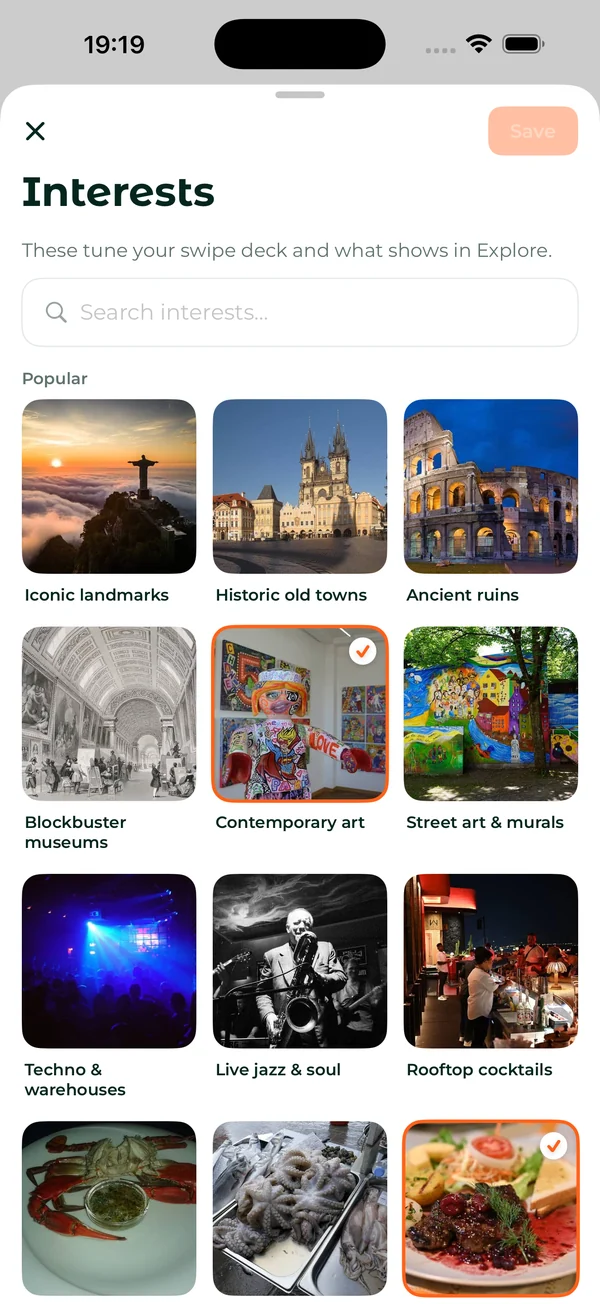
- Must-sees count most. A swipe up counts for more than a like, and is the last thing cut from a full day.
- Friends join from one link, in the app or in any phone's browser, without an account.
- Made for your taste. Pick photo scenes like old towns, street art or rooftop bars, and the deck and Explore follow them.
- A deadline, if you want one. Pick when the plan builds; there is a reminder an hour before.
- While you wait, swipe on restaurants, bars and events for the trip; the ones the group likes become lunches, dinners and evenings out in the plan.
- See what everyone loved, place by place, and with Premium, who voted for what.
The votes become the plan
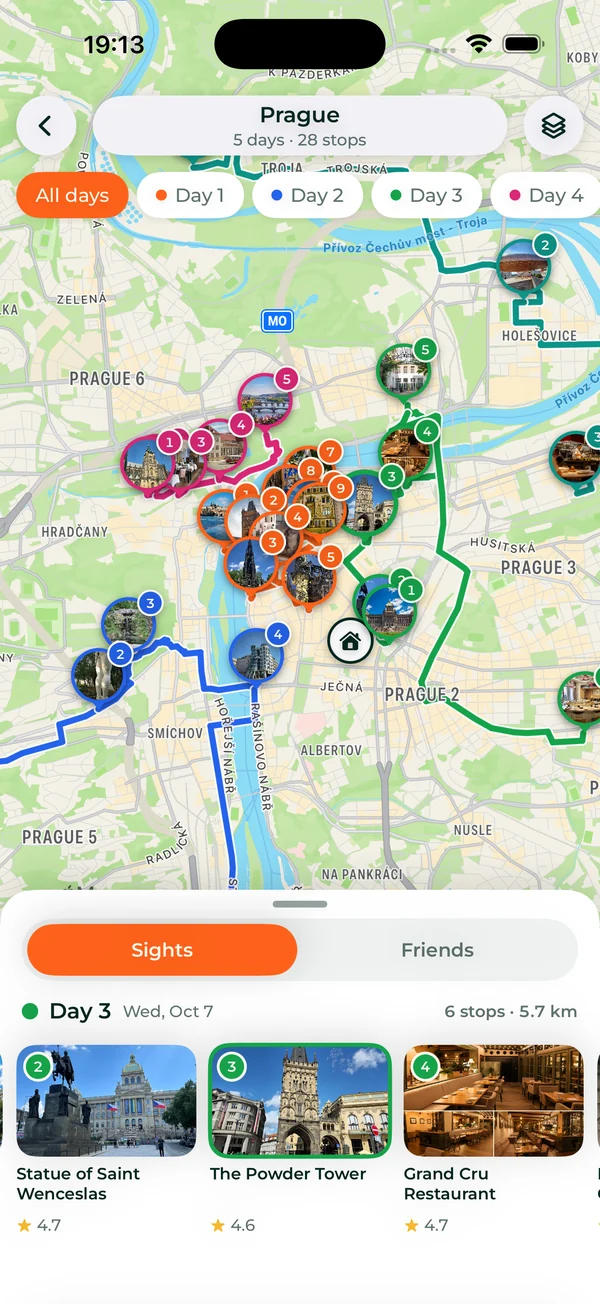
The plan builds itself from the votes. Places are grouped by area, each day runs in walking order around opening hours, and lunch and dinner land near the stops.
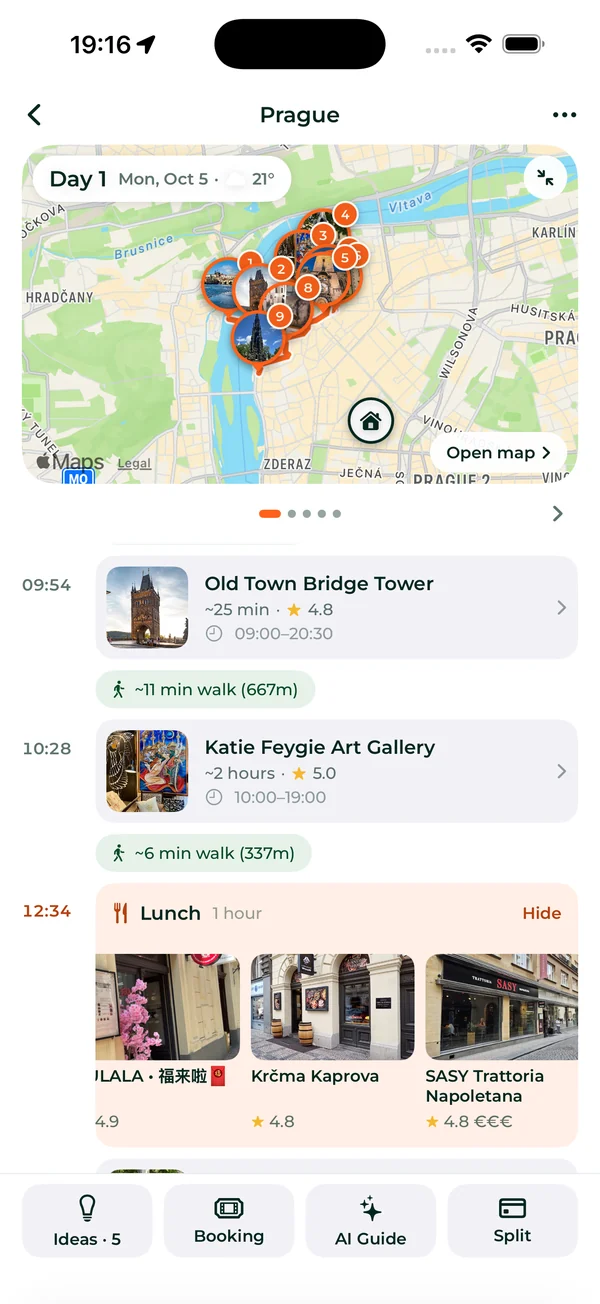
- Times that work. Each stop has its time, how long to stay, its opening hours and the walk to the next.
- Rides where walking is too far: the bus, tram or train, with its stops and changes.
- The day's weather at the top of every day.
- The whole trip on one map, every day in its own color.
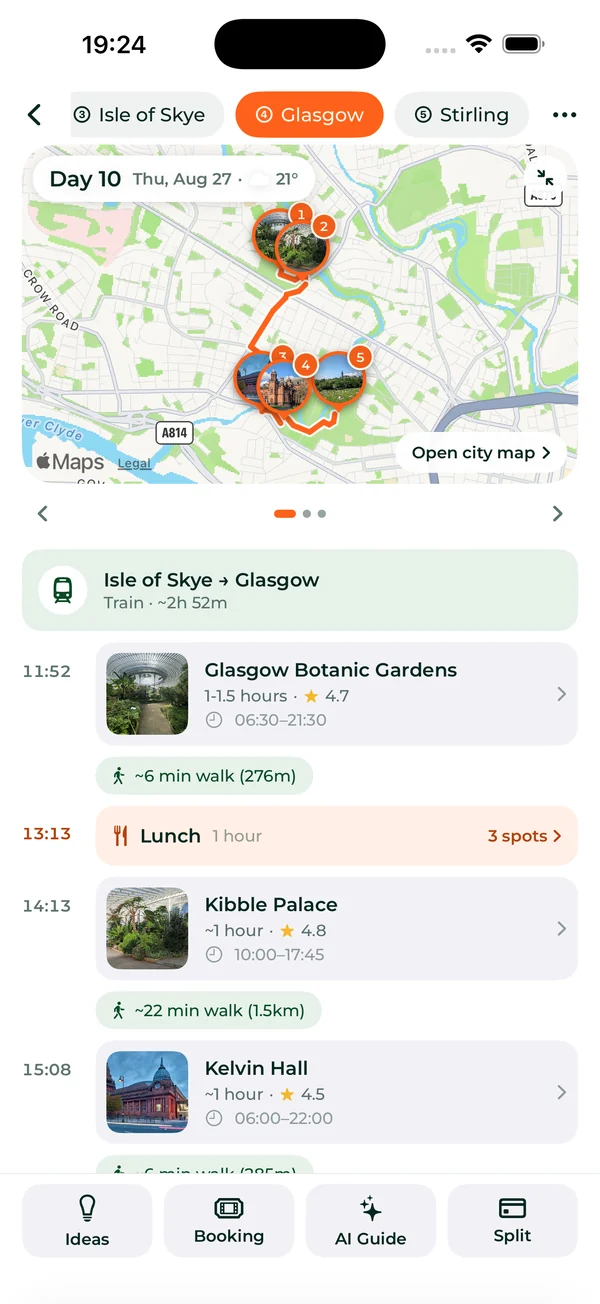
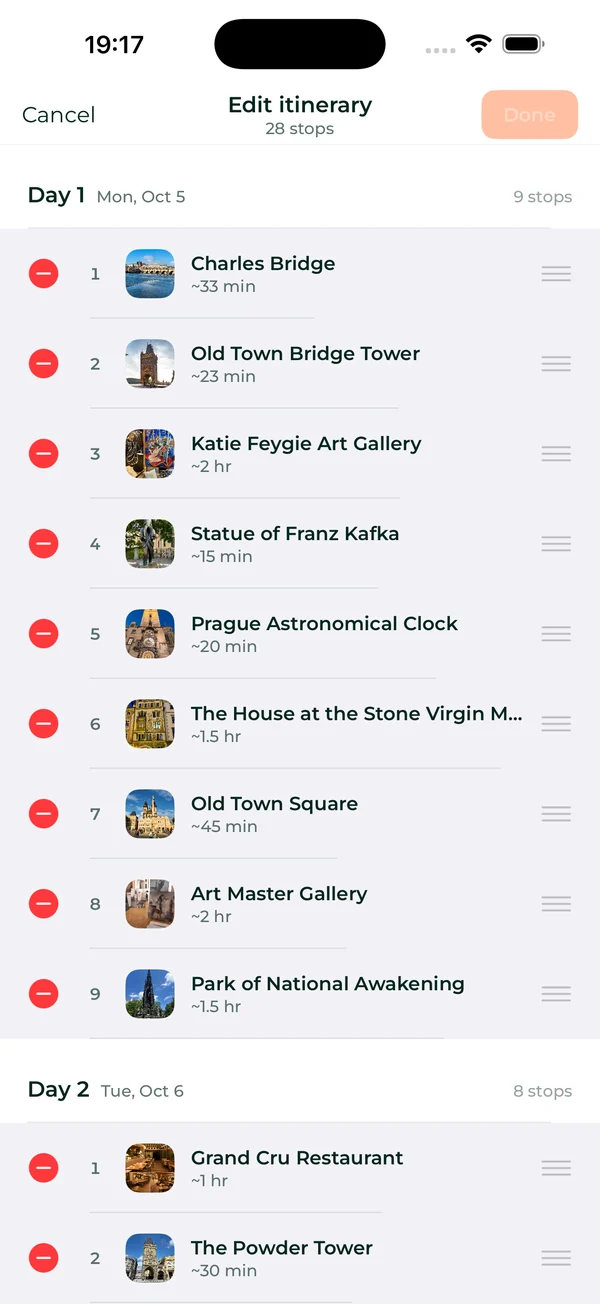
- Multi-city trips. Two cities or five, with the travel days worked out, like the train from the Isle of Skye to Glasgow.
- Change it your way. Drag stops between days, and the times and walks update as you go.
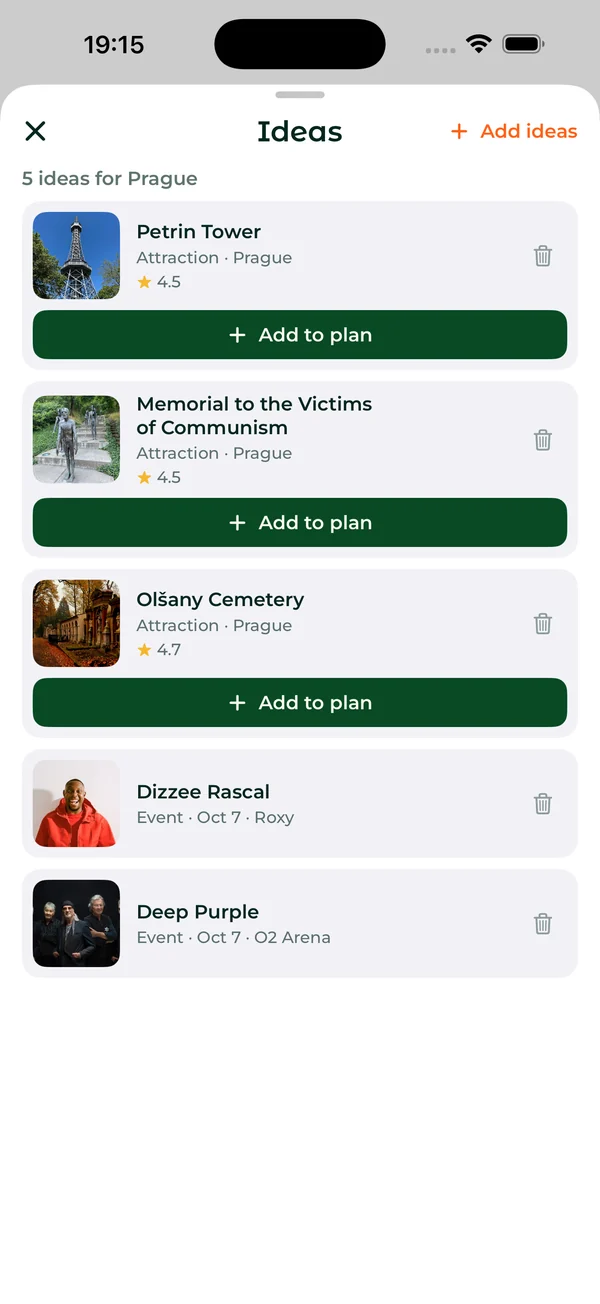
- Ideas keep the places and events the group might add, until you add them to the plan.
Premium: multi-city trips, editing the plan and restaurant picks.
Every place has its page
Tap any place for the whole story. Photos, what it is, reviews, where it is, and what is around it.
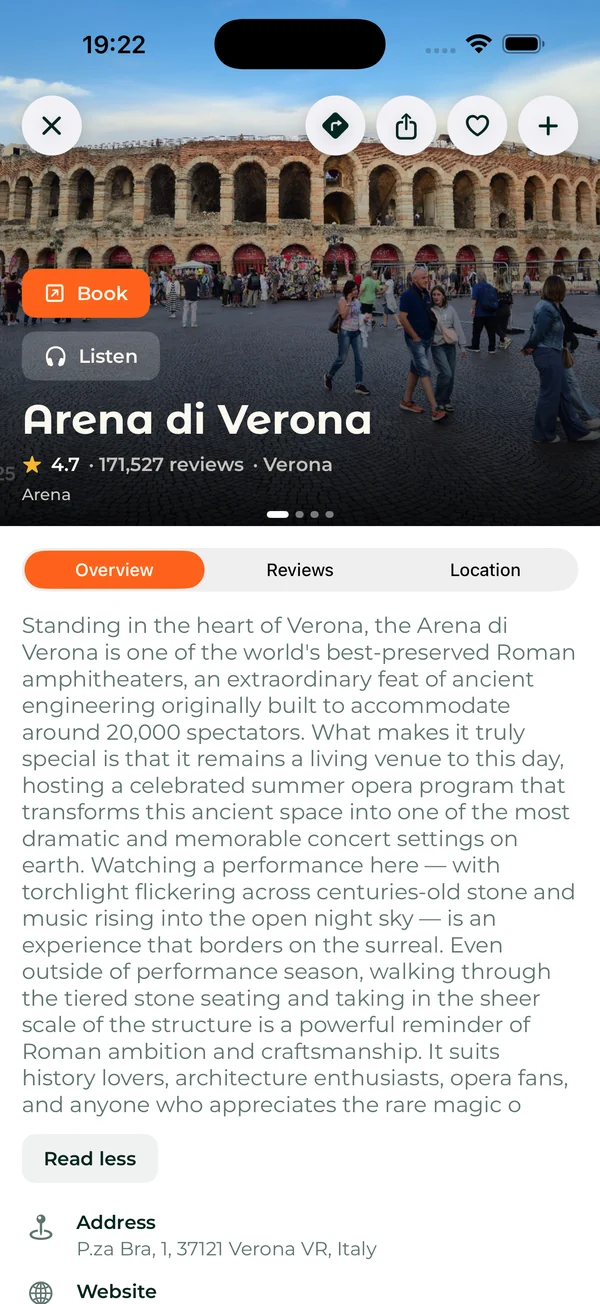
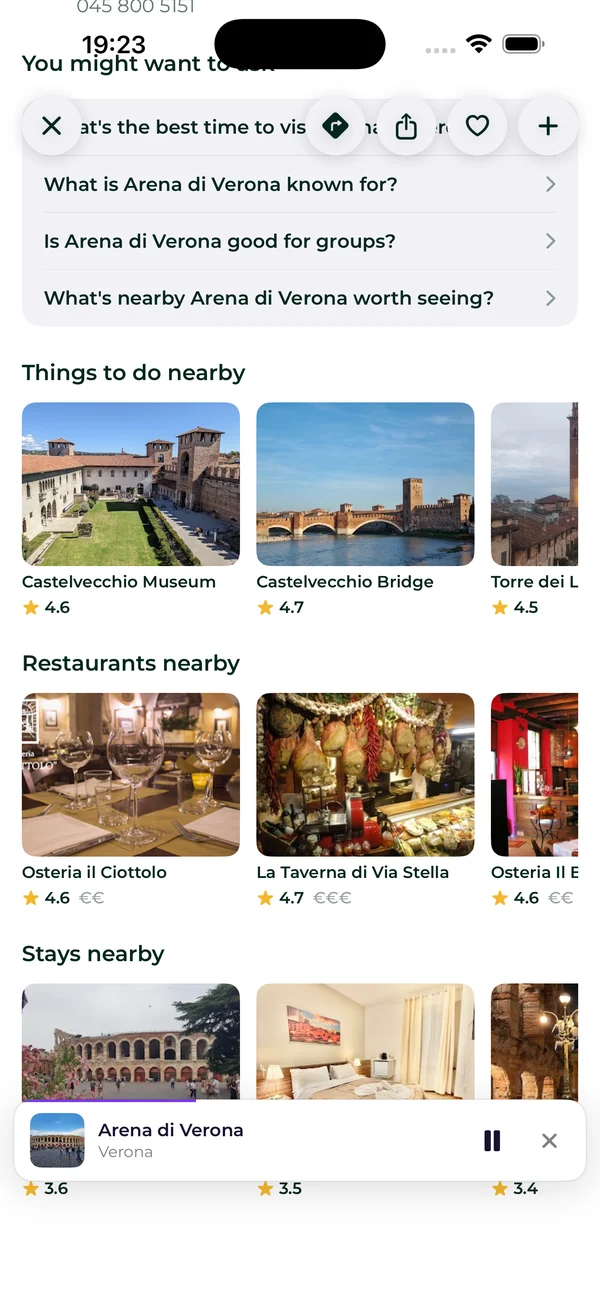
- Book and Listen right on the page: tickets for the place, and its audio guide.
- Ask about it, from the best time to visit to what it is known for.
- Nearby: things to do, restaurants and stays close to it.
Book what the plan needs
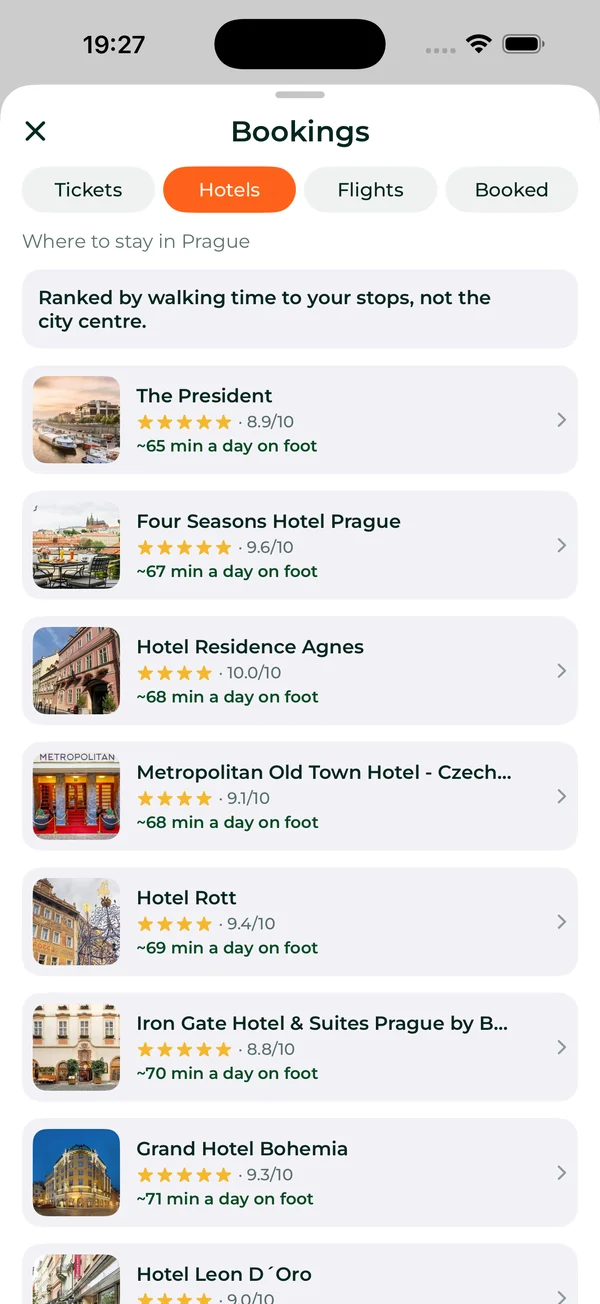
Bookings come from the plan, not a search box. The tickets, stays and flights are the ones this trip needs.
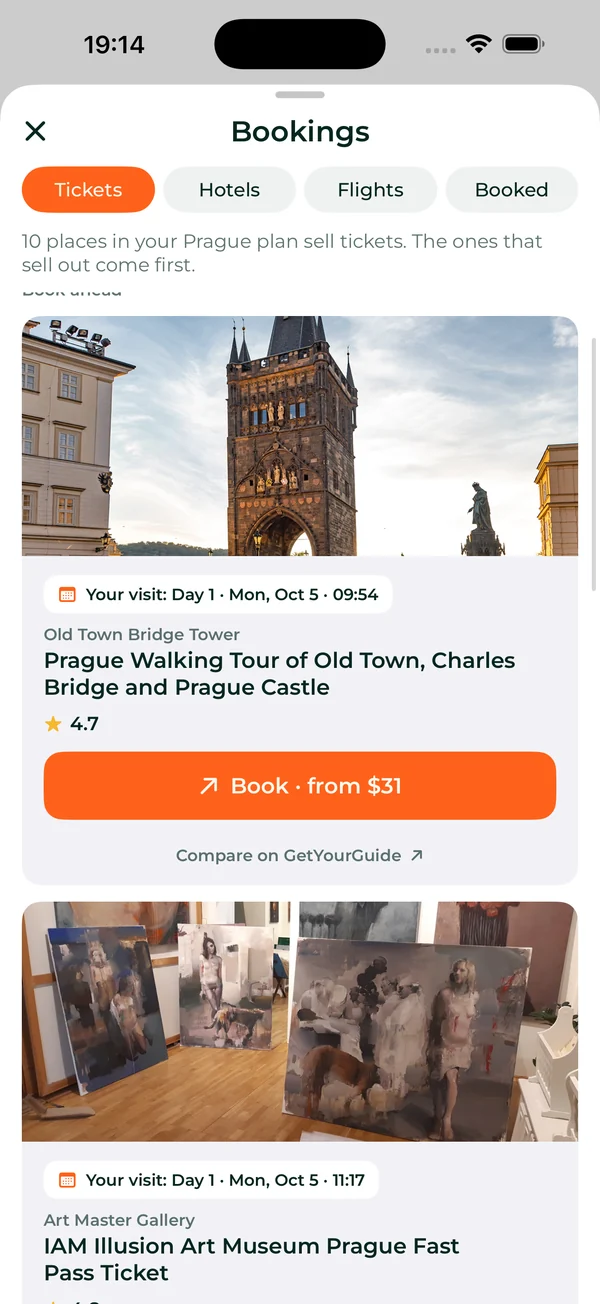
- Tickets and tours for the stops that sell them, the ones that sell out first at the top, each with the day and time of your visit.
- Stays near your plan, ranked by how much you would walk to the stops each day, not by distance to the center.
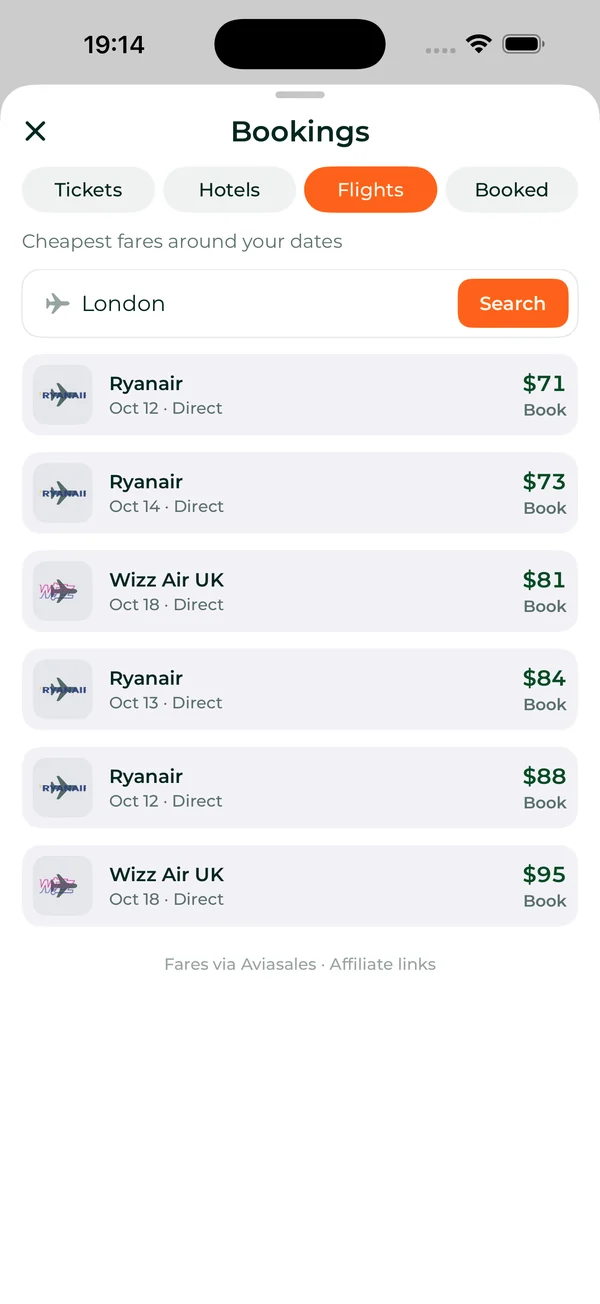

- Flights from home, the cheapest fares around your dates.
- Every booking in one place. Add a photo of a confirmation or forward the email, and it lands in the trip.
Explore any city
Explore works for any city, around you or before you go. It is where to look for more than the plan holds.
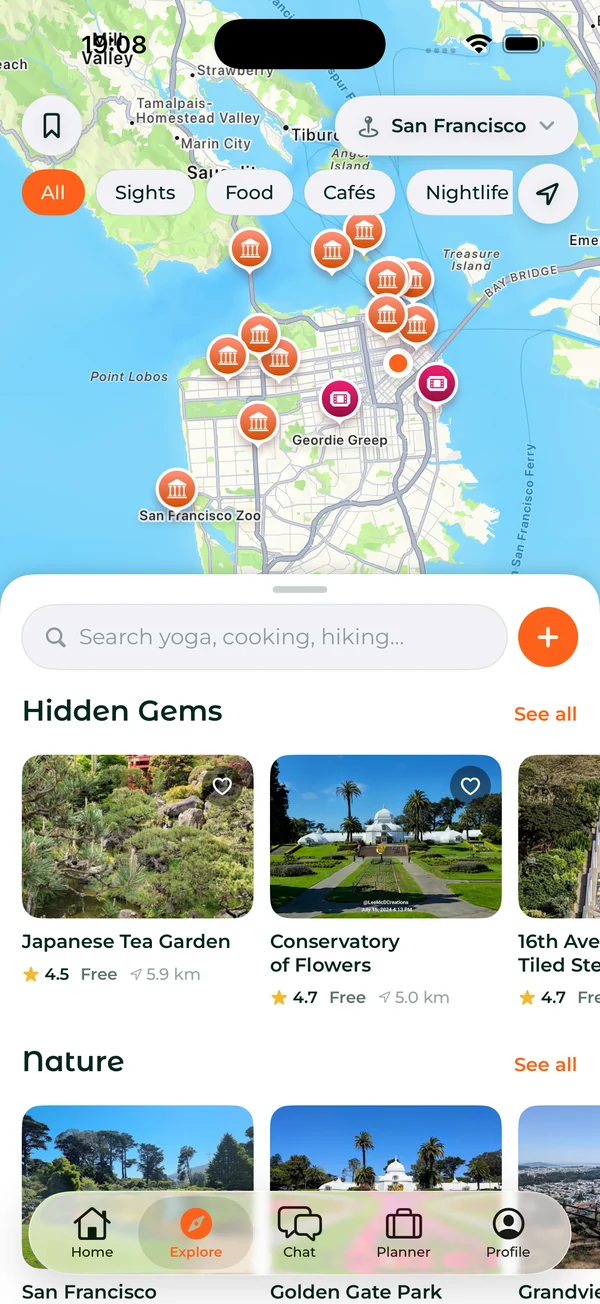
- One map for sights, food, cafés, nightlife, nature, shopping and places to stay.
- Search by activity, like yoga, cooking or hiking, with tours you can book.
- Hidden gems, the offbeat places most guides miss.
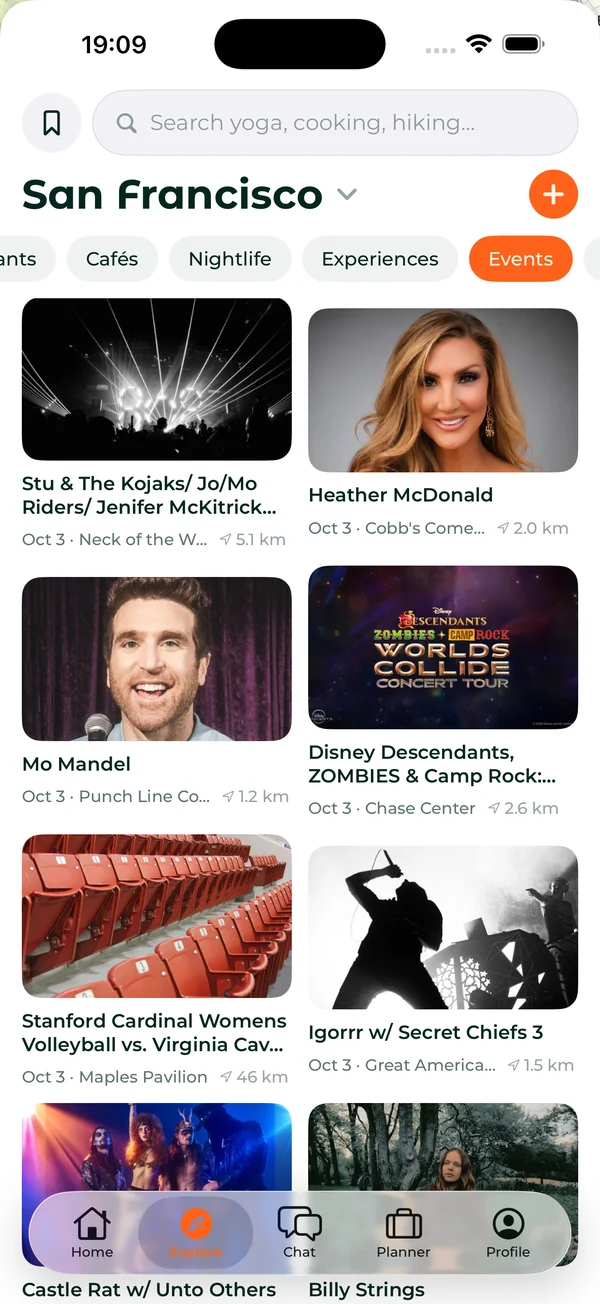
- Events: concerts, club nights and games on your dates, plus community events anyone can post.
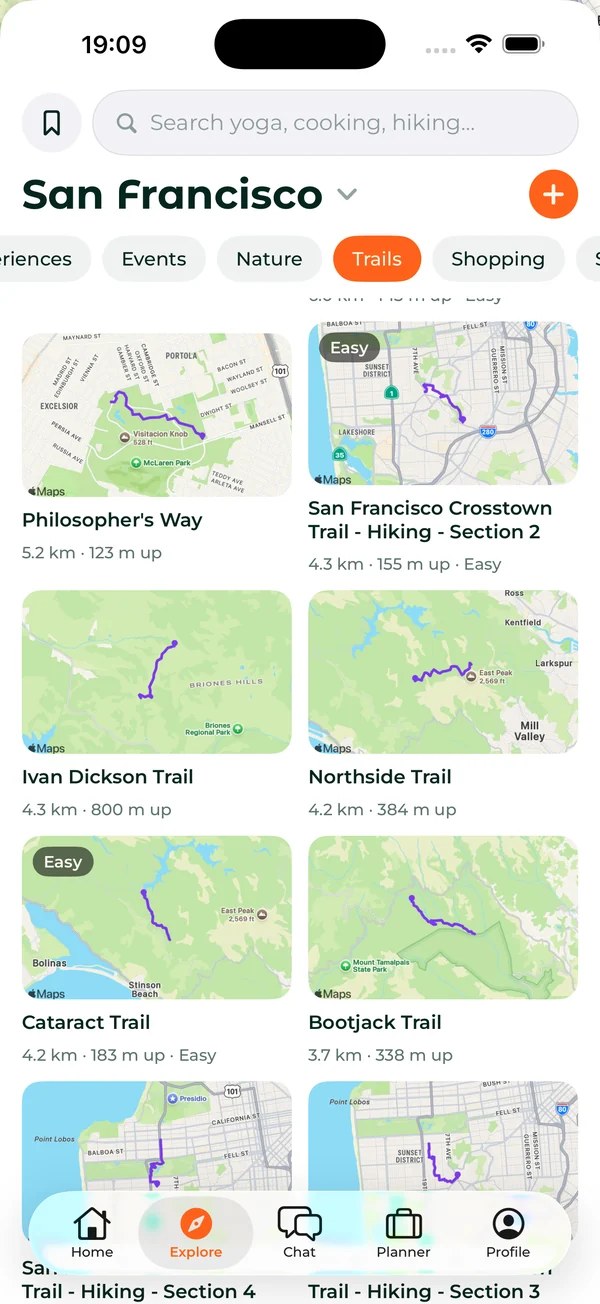
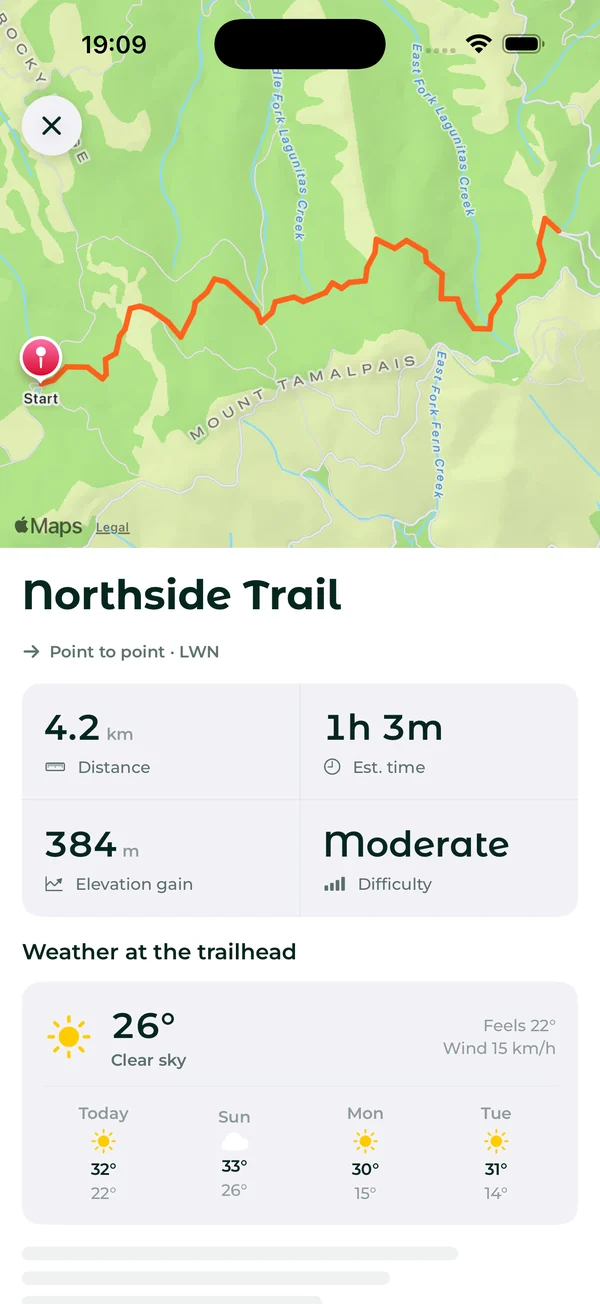
- Trails near the city, with the distance, the climb, the time it takes and the weather at the trailhead.
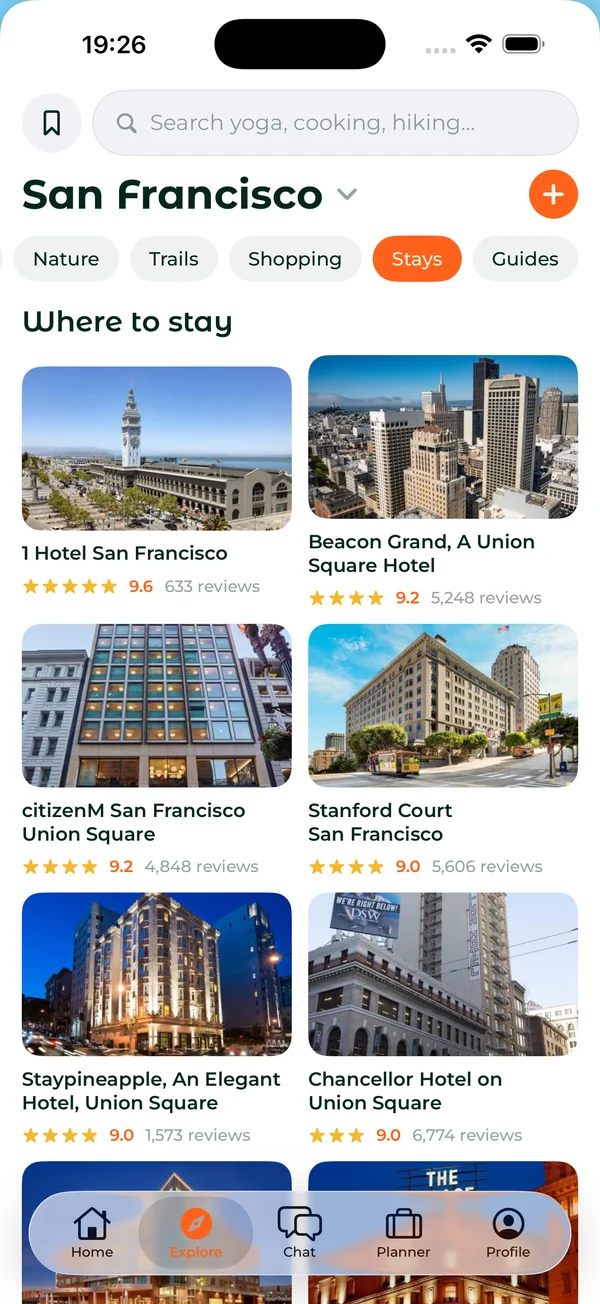
- Stays with photos, ratings and reviews, and city guides from other travelers.
Save places from TikTok and Instagram
Saw a place in a video? Save it. Paste a TikTok, Instagram or Google Maps link, and the app finds the place.

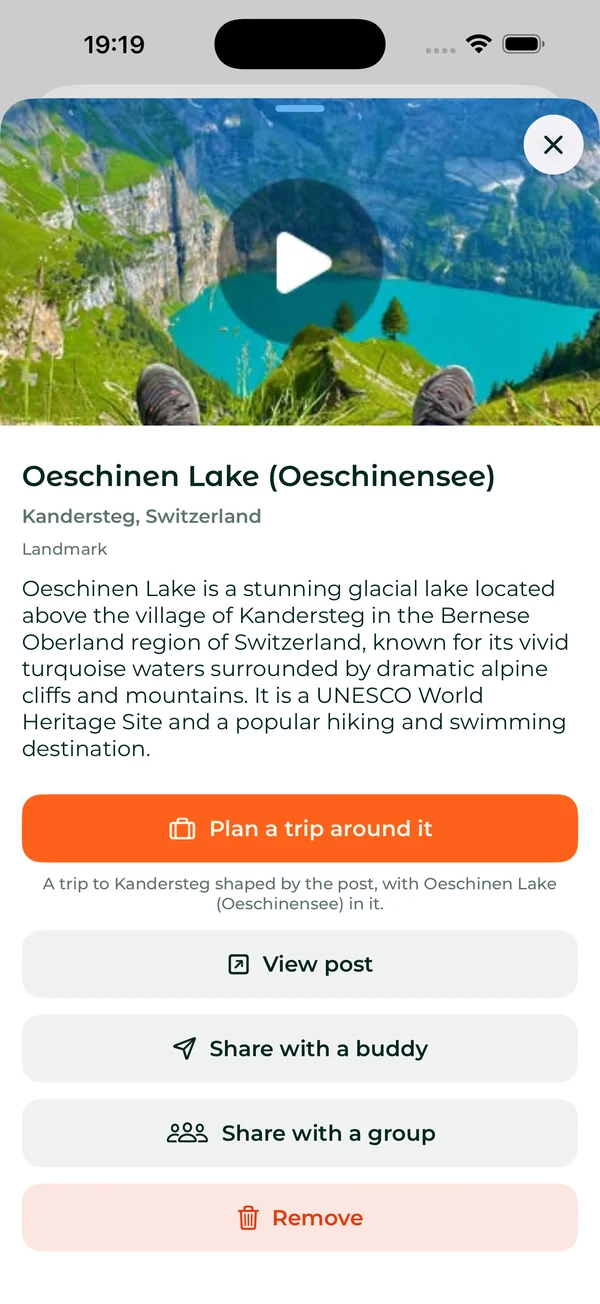
- Plan a whole trip around it, or send it to a friend or your crew.
- Every saved place in one list, by city, ready for the next trip there.
On the trip
The plan turns into a guide the moment you land.
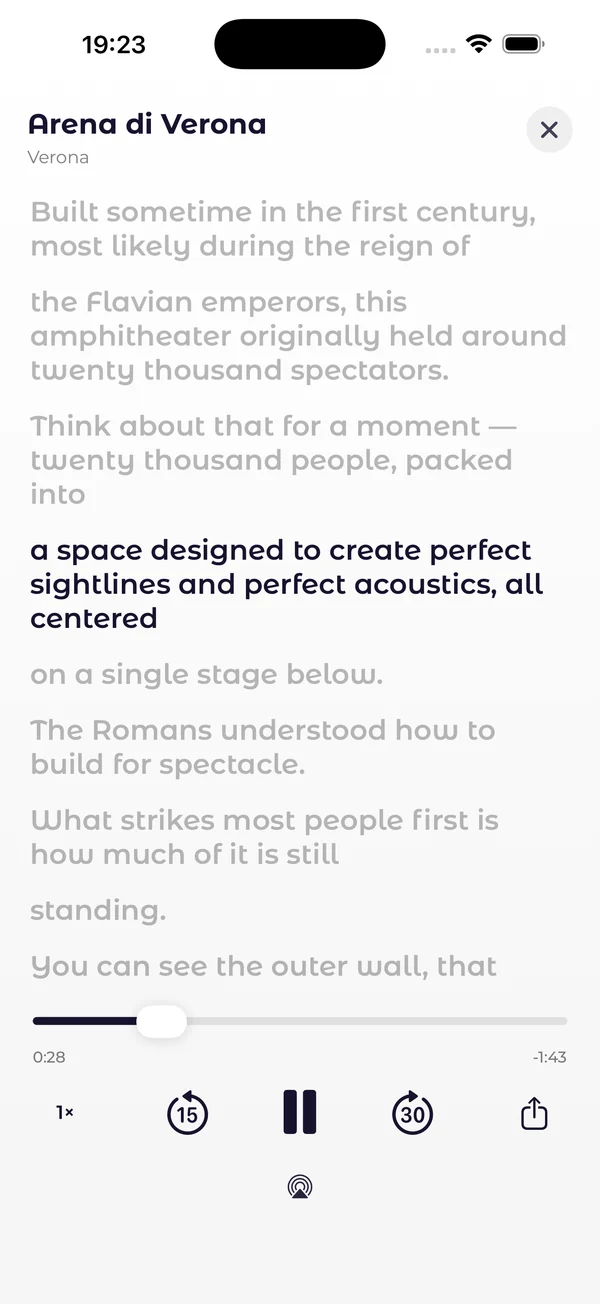
- Audio guides, a narrated tour of every sight, like a podcast, with the words on screen.
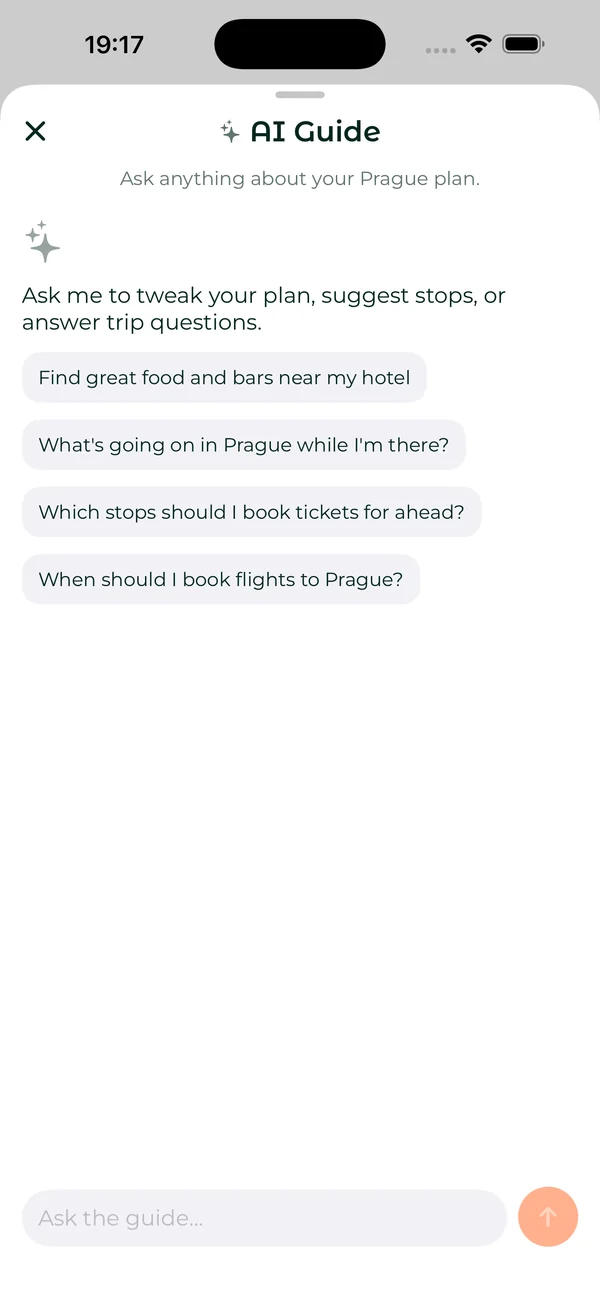
- A trip guide that knows your plan. Ask it to change the plan, suggest stops or answer questions about the city.
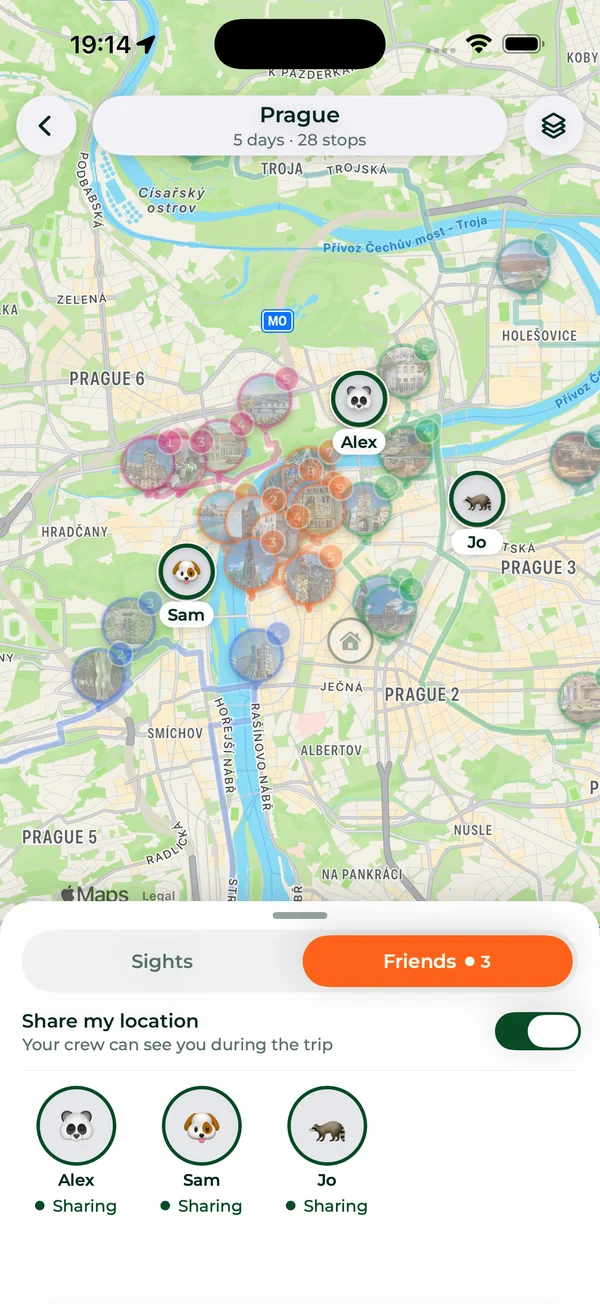
- Friends on the map. See where your crew is during the trip, when they choose to share.
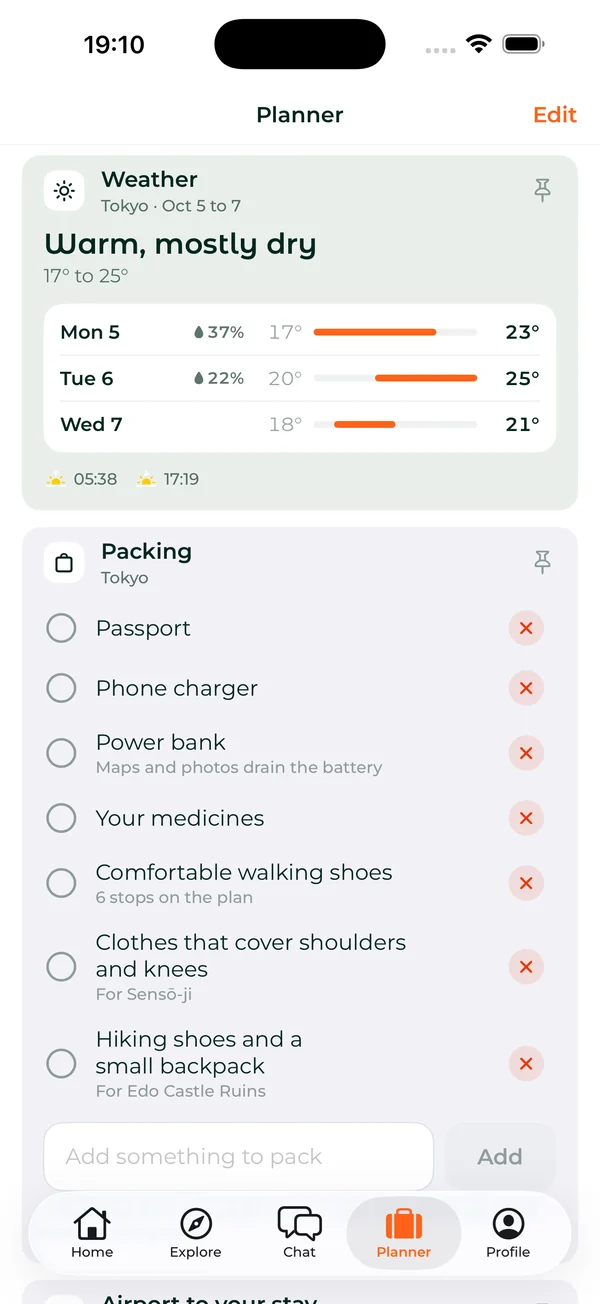
- The Planner keeps the rest of the trip on one page: today's next stop and when to leave, a plan check for closed stops and rain, the weather, the currency, local basics, packing and the ride from the airport.
- A morning brief each day of the trip, and the day live on your Lock Screen and in the Dynamic Island, with when to leave for the next stop.
- A Home Screen widget with the countdown and the next stop.
- Take it with you: the whole plan offline, as a PDF and in your calendar.
Premium: audio guides, friends on the map, the plan offline and the PDF.
Your crew and the money
Friends who travel together get a crew: a chat, things to decide and the places everyone loved, trip or no trip.
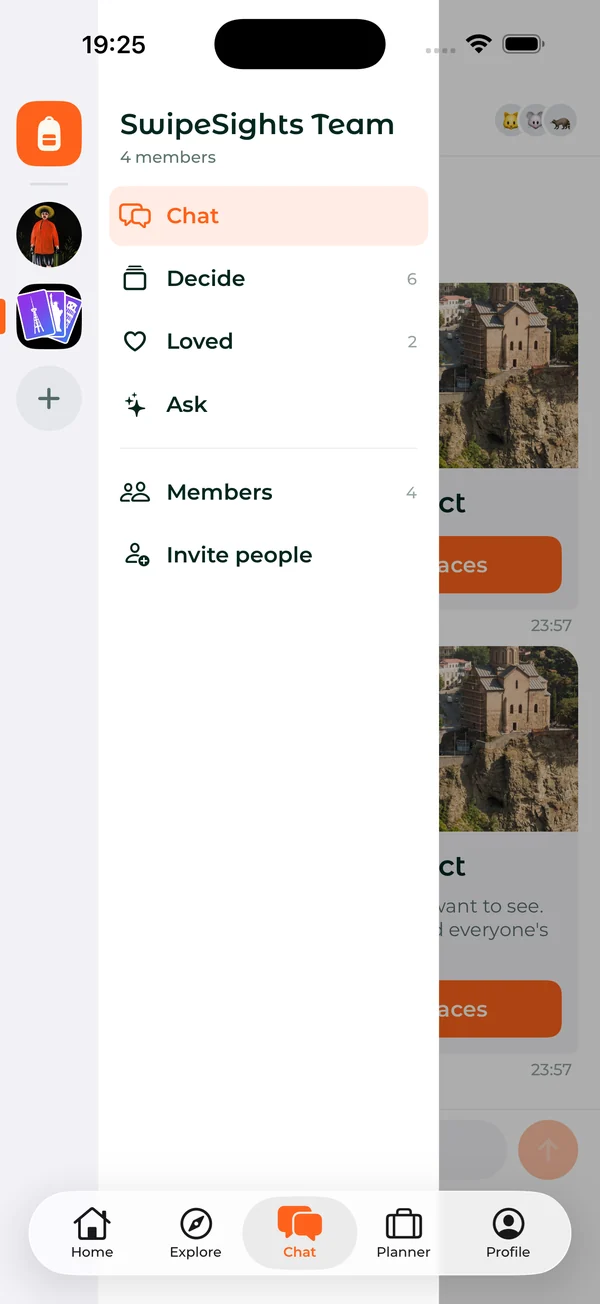
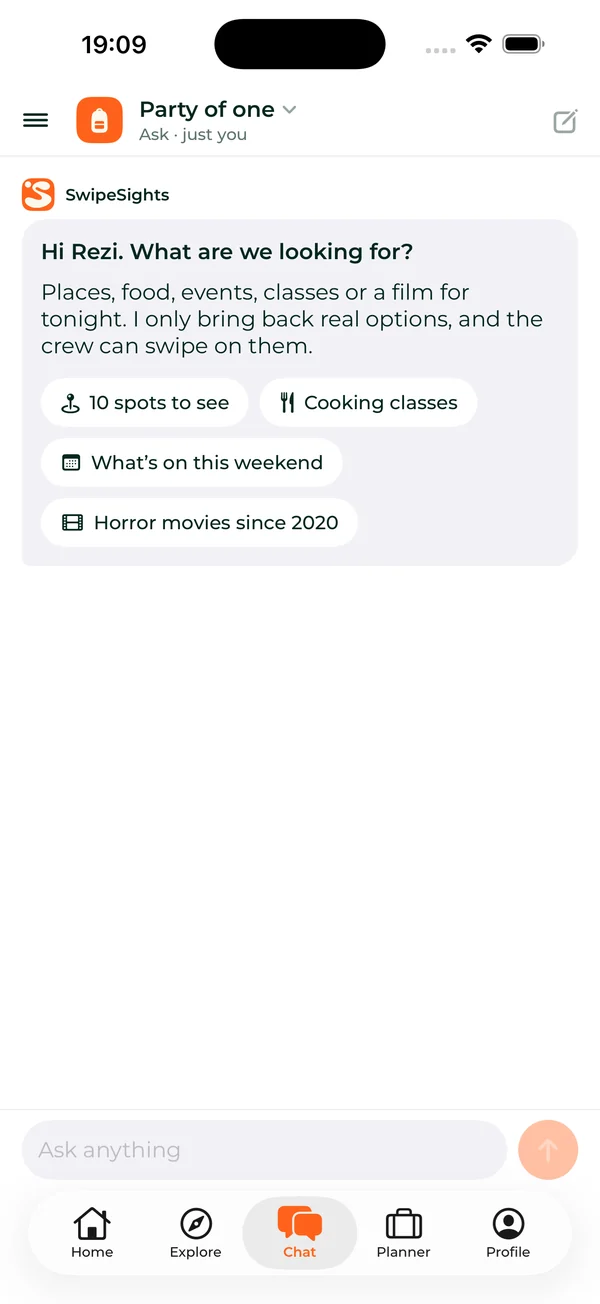
- Decide anything together. Your crew swipes on events, films or Saturday night.
- Ask finds real places, events, classes or films for whatever you are after, and the crew swipes on them.
- Plan a weekend with your crew. Offer the times and the things to do, everyone answers, and the plan makes itself.
- Buddies: the friends you travel with, one tap away when you invite.
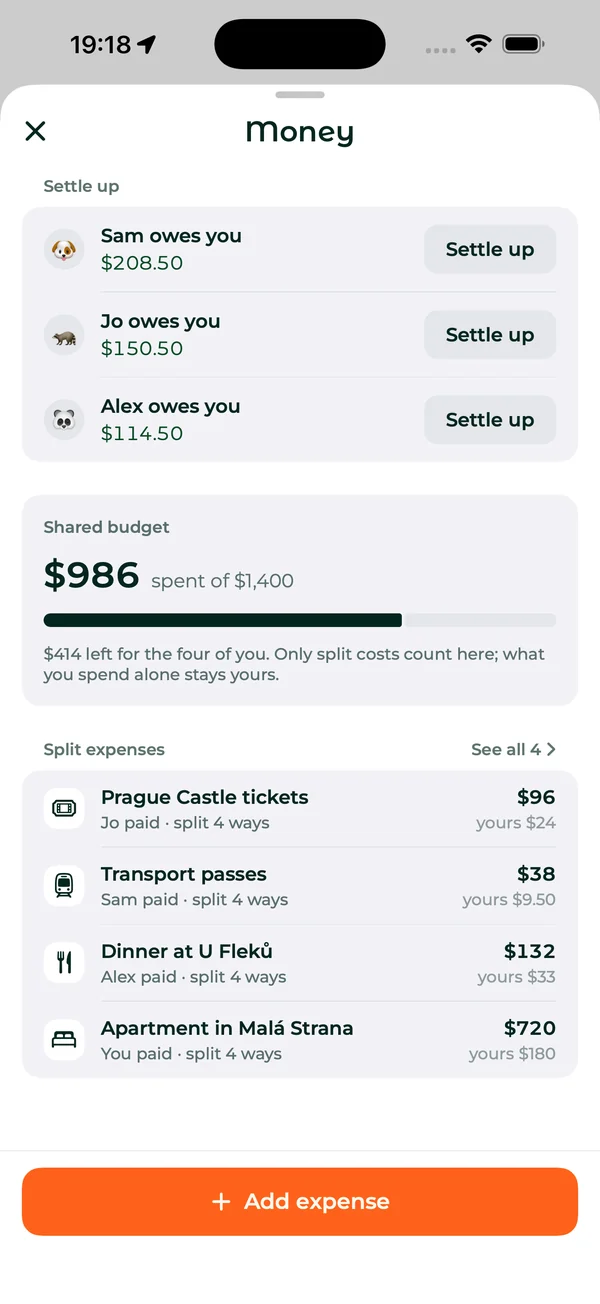
- Split the costs. Log who paid for what, see who owes whom, and settle up.
- A shared budget for the costs you split; what you spend alone stays yours.
- Your own budget, with what is left to spend each day.
Remember it
After the trip, keep it. Every trip leaves something behind.
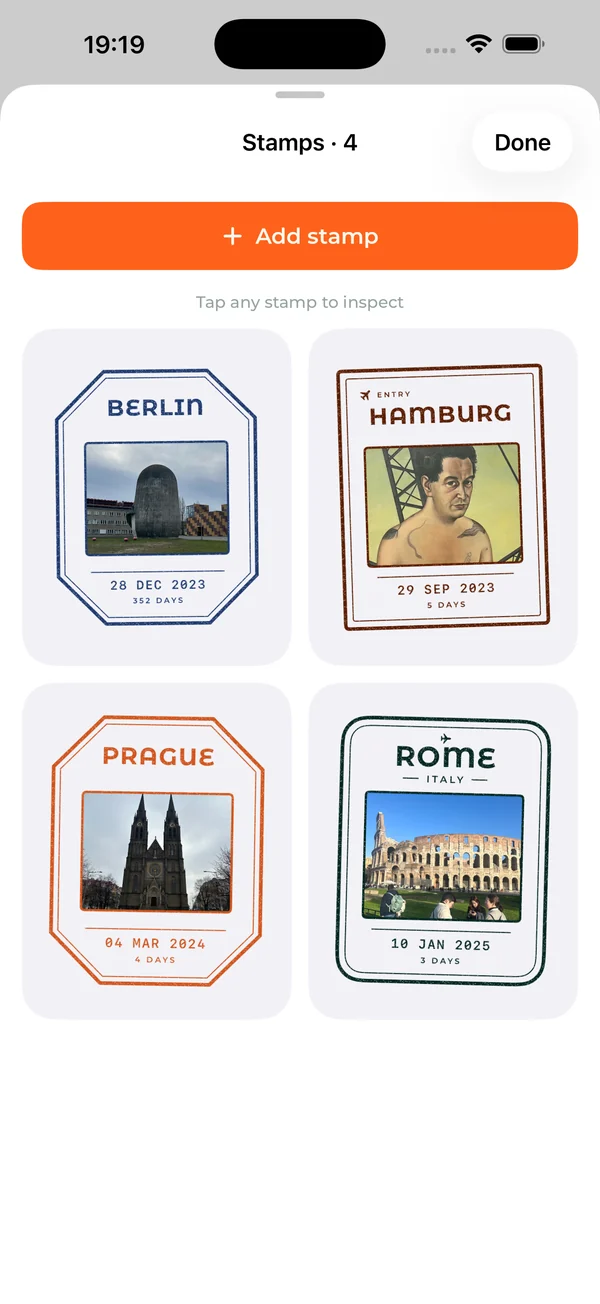
- Passport stamps for every trip, in your SwipeSights passport.
- Travel memories: your photos of the moments, kept as postage stamps.
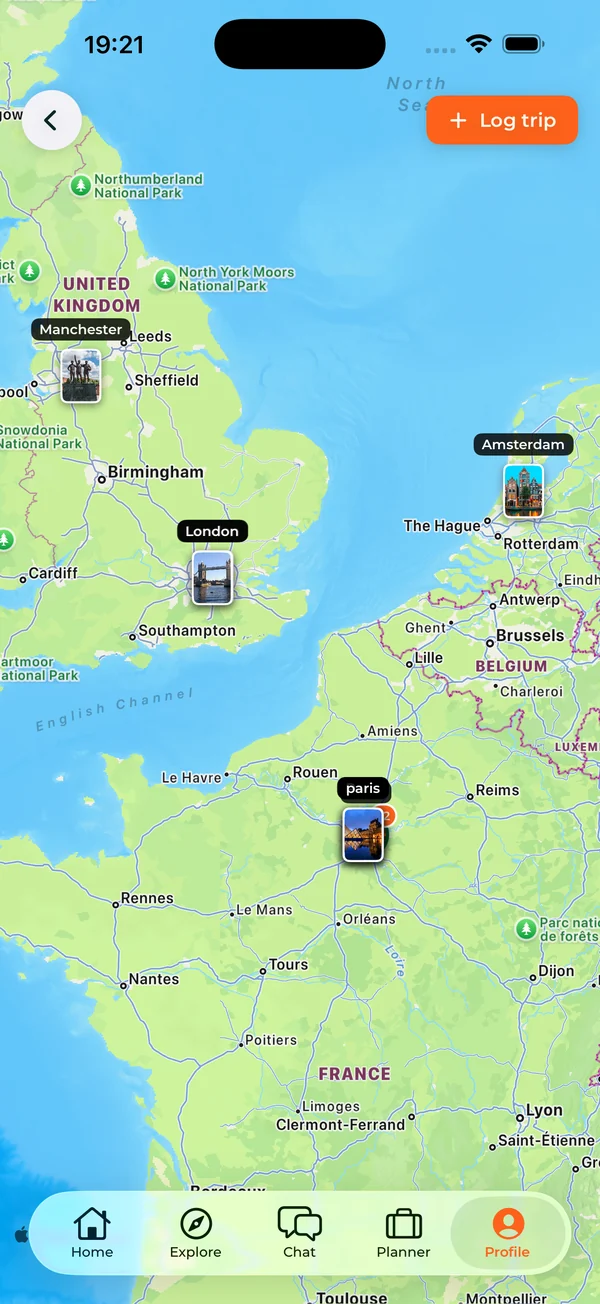
- Your travel map and journey, with every trip you have taken, past ones included.
- A private journal that stays on your phone.
What is free and what is Premium
Free: Unlimited free trips. The itinerary opens 3 days, for groups of 3.
Premium: Trip Pass from $12.99 for one trip, or a Year Pass from $29.99 covering every trip you create for 12 months.
What it adds: Premium opens every remaining day, groups up to 20, multi-city routes, itinerary editing, restaurant picks, audio guides, an itinerary that works offline, and a printable PDF.
For the whole group: One person upgrades and the whole group gets it. There are no per-person fees.
Frequently asked questions
What can SwipeSights do?
It plans group trips from everyone's votes: friends swipe on real places, and the votes become a day-by-day plan in walking order. Around that, it books what the plan needs, explores any city, guides you on the trip with audio guides, a trip guide and the Planner, splits the costs, and keeps stamps, memories and a travel map of where you have been.
Is SwipeSights free?
Unlimited free trips. The itinerary opens 3 days, for groups of 3. Trip Pass from $12.99 for one trip, or a Year Pass from $29.99 covering every trip you create for 12 months.
Can I plan a trip from our WhatsApp group chat?
Yes. Start a new trip, choose Describe it and paste the chat, or type or say one sentence about the trip, and SwipeSights sets it up.
Does SwipeSights work for solo trips?
Yes. The deck and the plan work the same for one person: swipe on the places you want, and the plan is built from your picks.
Does SwipeSights work offline?
With Premium, the whole plan opens with no signal, and you can save it as a PDF or add it to your calendar.
Is SwipeSights on Android?
SwipeSights is on iPhone and the web. Friends with an Android phone can swipe from the trip link in their browser.
Plan the whole group trip together
Create the trip, share the link, and let everyone swipe.


SwipeSights: plan the whole group trip together.